
A personal start
Sign up fast, then get something back right away.
- 01Welcome, login & sign-up
- 02Phone & OTP
- 03Name & birth details
- 04Cosmic snapshot
- 05Family invitations
- WEBSign in only when a question needs it
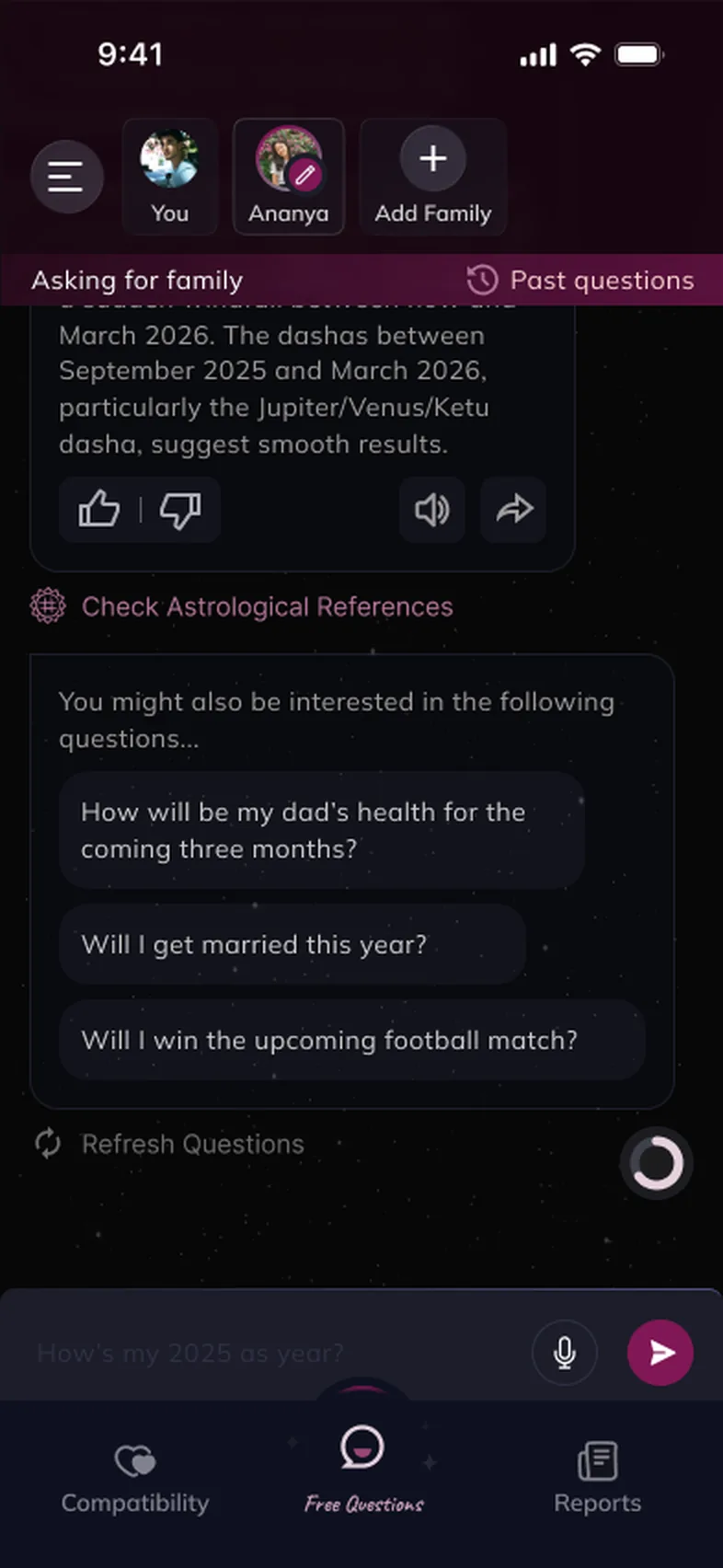
Chart-based answers to life’s big questions, from an AI Vedic astrologer in your pocket.
A short film cut from the real Melooha web and app screens, with generated ambient music. Names and readings are sample data from the mock-ups.
Value first: a free answer and a personal snapshot, then clear, well-timed offers.
People with a big decision on their mind wanted personal, trustworthy guidance quickly, but astrology apps felt generic, slow to set up, or pushy about payment.
A conversational app built around Vaani, an AI Vedic astrologer: fast onboarding, ask by text or voice, answers with references, compatibility, daily horoscopes and in-depth reports. On the web, the same guide sits beside Astropedia, calculators, blogs and reports.
Give value first or ask for payment early? We led with a free first answer and a personal snapshot, then made paid offers clear and well-timed.
A freelance project: UX and product design across the mobile app and web: onboarding, questions, compatibility, horoscopes, reports, plans and profile, plus a UX audit of the shipped flows.
“Should I switch jobs?” “Will I get married this year?” “How will my dad’s health be?” People turn to Vedic astrology at moments like these, and they want an answer about their chart, not a generic sun-sign blurb.
Booking a human astrologer takes time and money. Most apps either ask for a long form before giving anything back, or answer with content that feels the same for everyone. And because the questions are personal, people need to feel the product is private and credible before they share birth details.
Phone, OTP, name, date, time and place of birth: a lot to ask before someone has seen any value.
Many people know they’re worried but don’t know how to phrase the question, so an empty input stalls them.
Answers need to feel personal and explainable, and offers need to feel fair, or people leave.
…get people from “I have a question” to a personal, credible answer in minutes, and give them reasons to come back, without making payment the first thing they feel?
I ran a heuristic UX audit of the shipped app, flow by flow: onboarding, compatibility, profile, family members, referral and payment.
The goal: find the usability barriers and opportunities in onboarding, personalisation, navigation, trust and the move from free exploration to paid services. Every screen was reviewed against four labels: Good (keep it), Needs improvement, Needs to be fixed, and Idea, with a proposed UI improvement next to it.
Has a specific worry (a job change, a marriage, money) and wants a clear answer about their own chart, quickly.
Asks on behalf of others: a parent’s health, a child’s education, a partner’s compatibility.
Unclear remaining effort creates friction.
Dense text can hide the immediate value.
People need to know what premium unlocks.
Saved insights and active profiles should be easy to find.
10 interviews: four first-time astrology-app users, three existing users and three interested in family or compatibility features.
Using Vaani as a guide felt personal rather than a cold sign-up form, and the dark cosmic look fit the category.
Steps didn’t say why data was needed, how many steps were left, or what the user gets next. That’s where people hesitate.
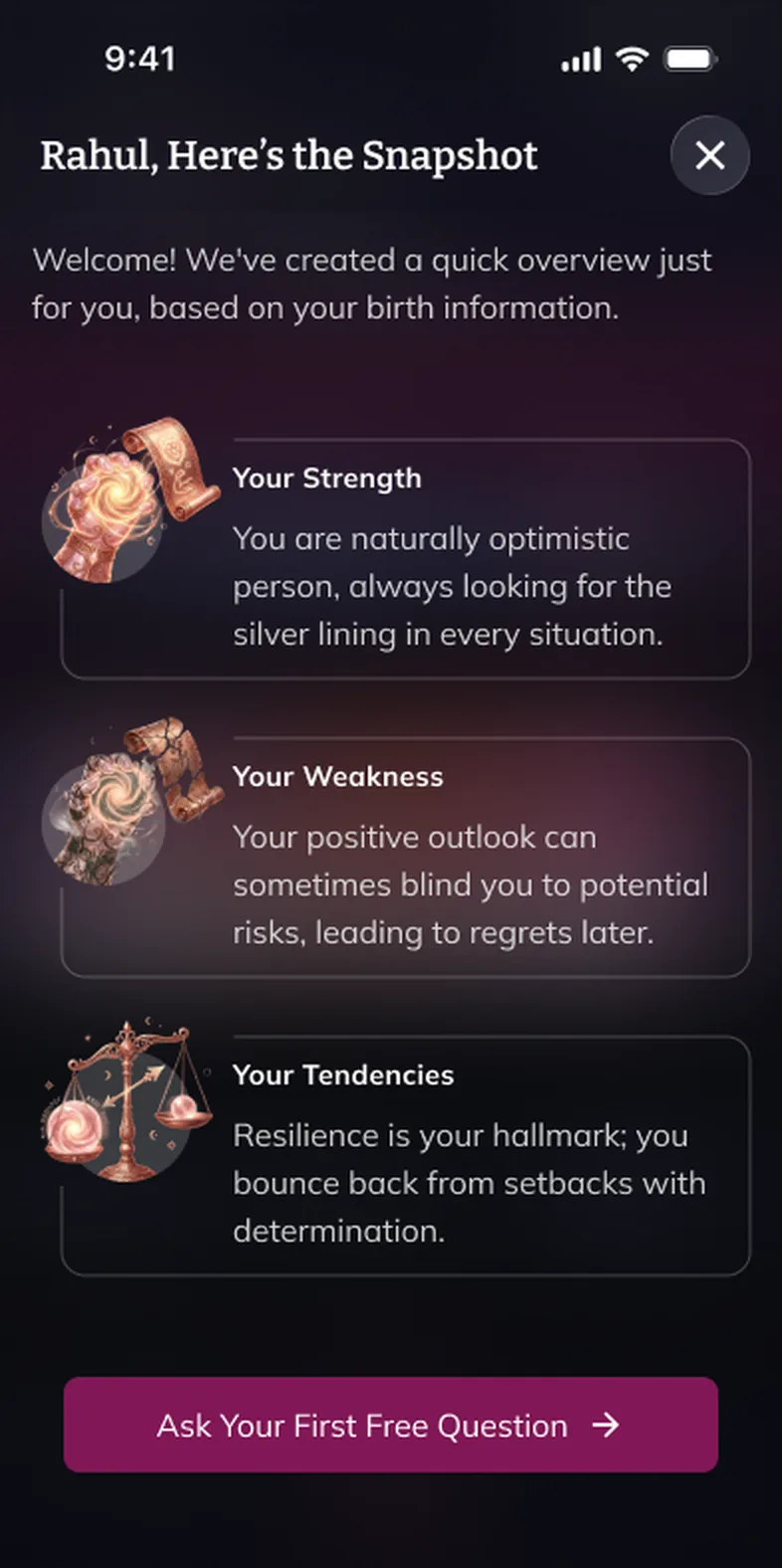
The first personal snapshot is the activation moment, but long paragraphs buried the most exciting lines.
The conversational approach makes astrology approachable; onboarding guidance, insight presentation, accessibility, profile clarity and premium transparency are where the redesign can do the most.
Step indicators and contextual explanations.
Concise insights before detailed predictions.
Explain data use, AI limits and pricing.
Show the active profile; make switching effortless.
Better legibility, contrast and hierarchy.
Onboarding got the most exploration, because it decides whether someone ever asks a question.
The design file holds three login and sign-up variants, a set of A/B test screens, a full round of new onboarding screens that were rejected, and a revised onboarding flow. Home went through its own rounds too: separate home and questions screens were merged so the ask bar became the first thing you see.
Collect everything on one screen. Fast to build, but it feels like paperwork before any value.
Too heavyLet people in first. But without a birth chart, the first answer can’t be personal.
Weak first answerPhone and OTP, name, then birth details with a fallback for unknown times, followed by a personal snapshot and a free first question.
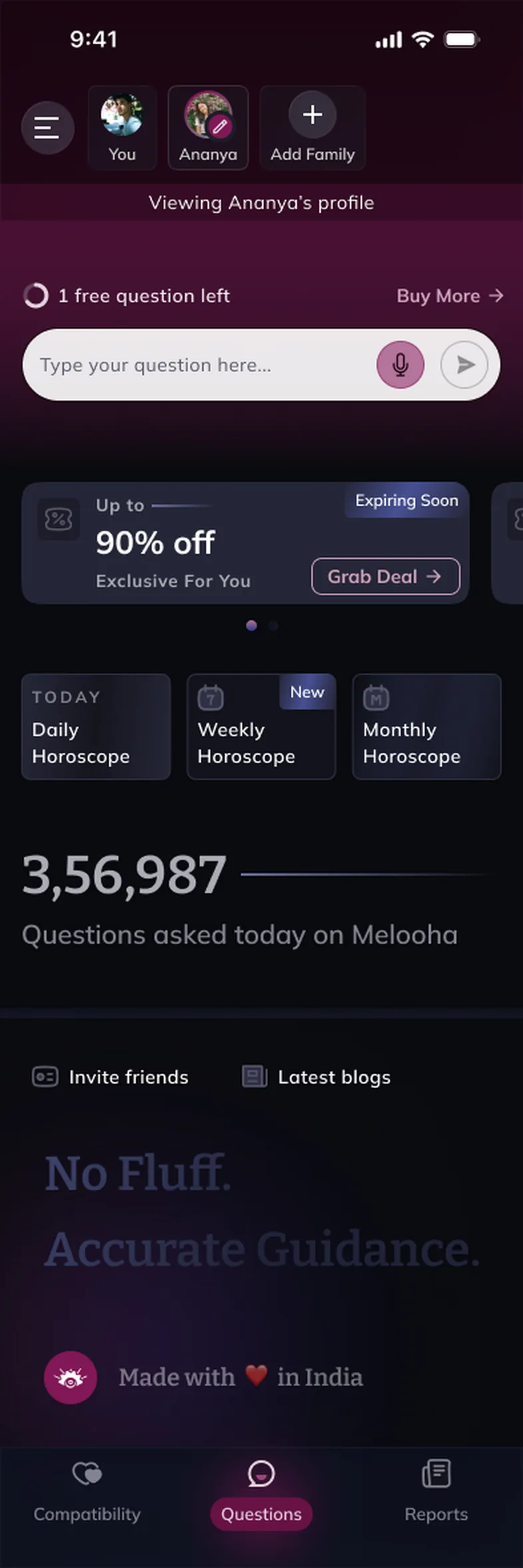
ChosenNavigation options, banner variations and a merged “questions + home” screen were tried. The winner puts the question bar at the top, with the family switcher above it and daily horoscopes just below, so asking is always one tap away.
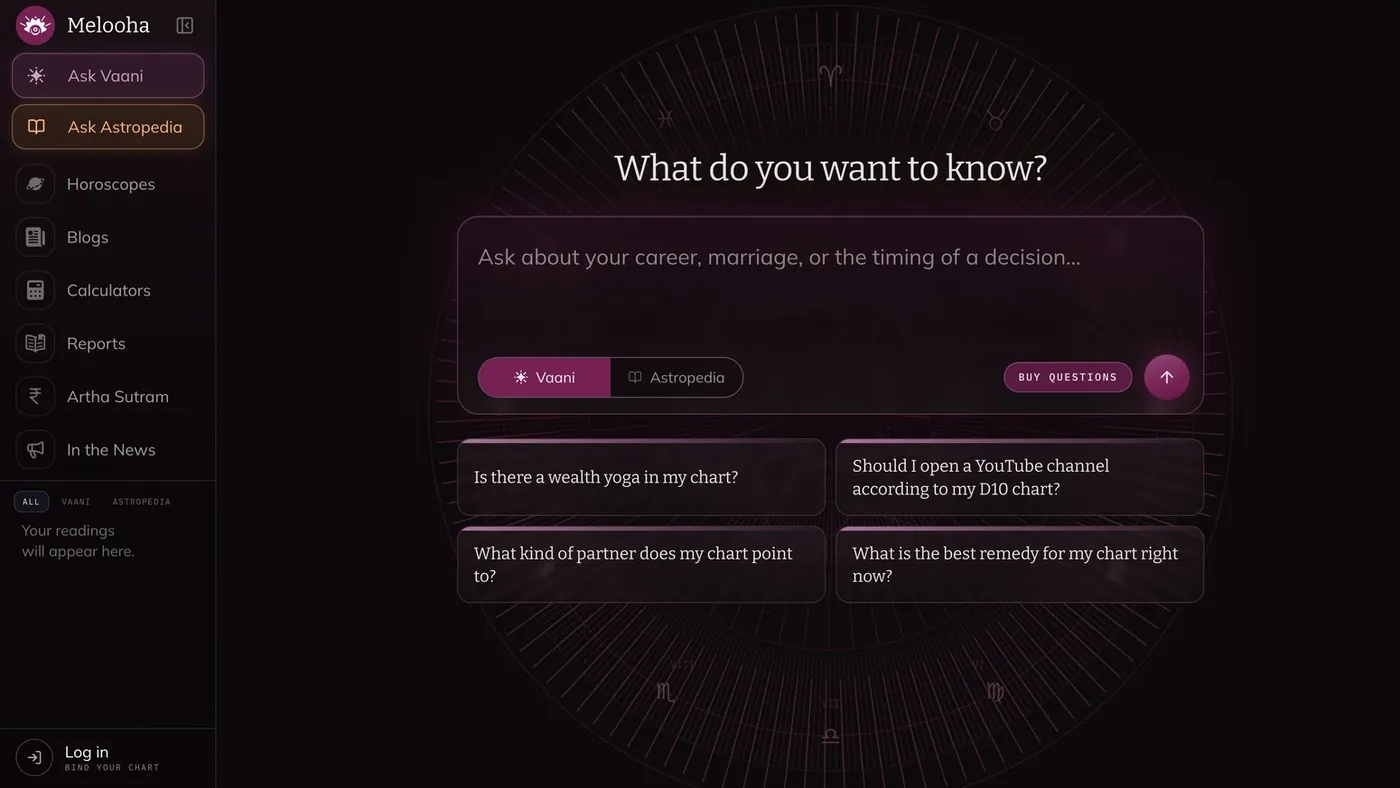
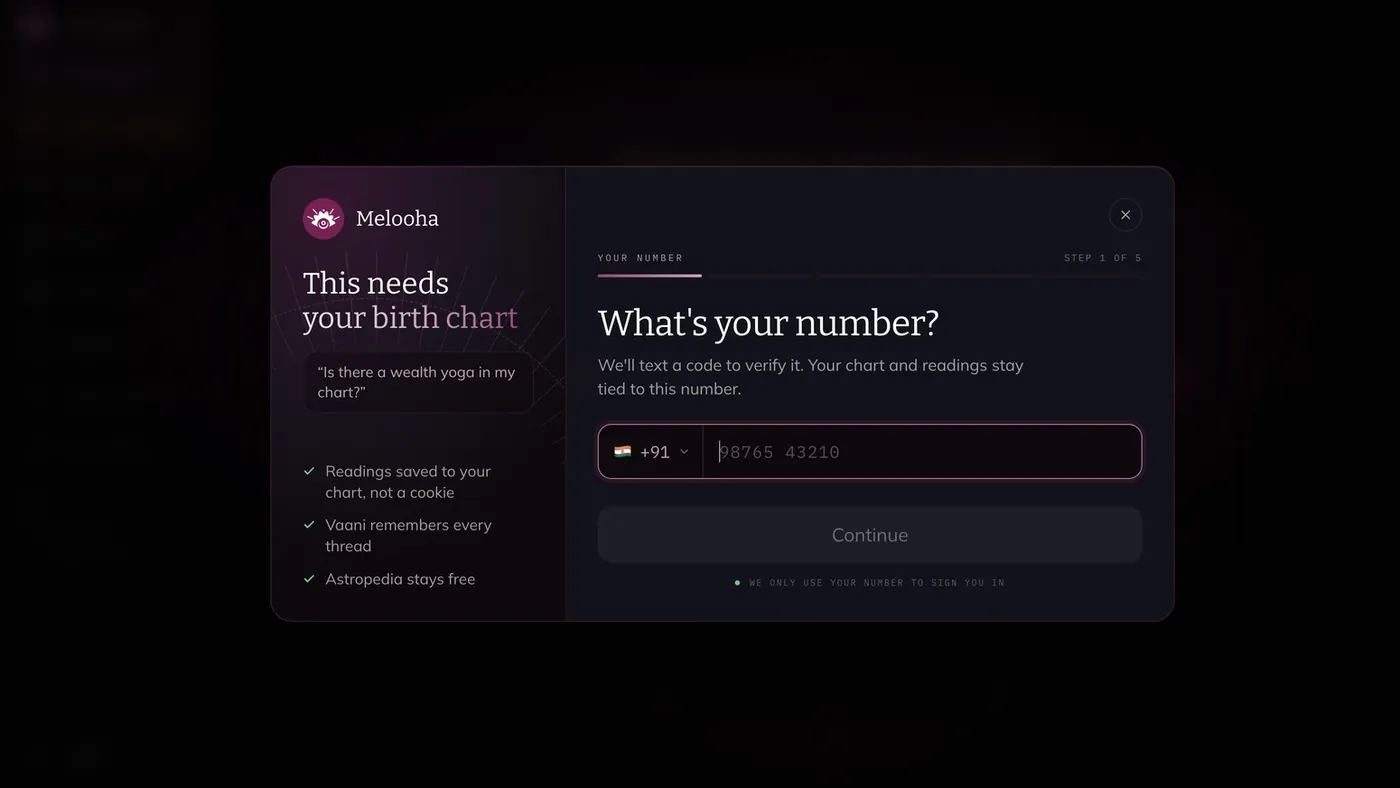
A bigger screen isn’t just a stretched phone. On the web, a persistent sidebar holds every section and your past readings, the centre stays a calm, chat-first space, and sign-in waits until a question actually needs your chart.


Questions, reports and compatibility checks are what people pay for.
Proof that the answers are personal before they spend money.
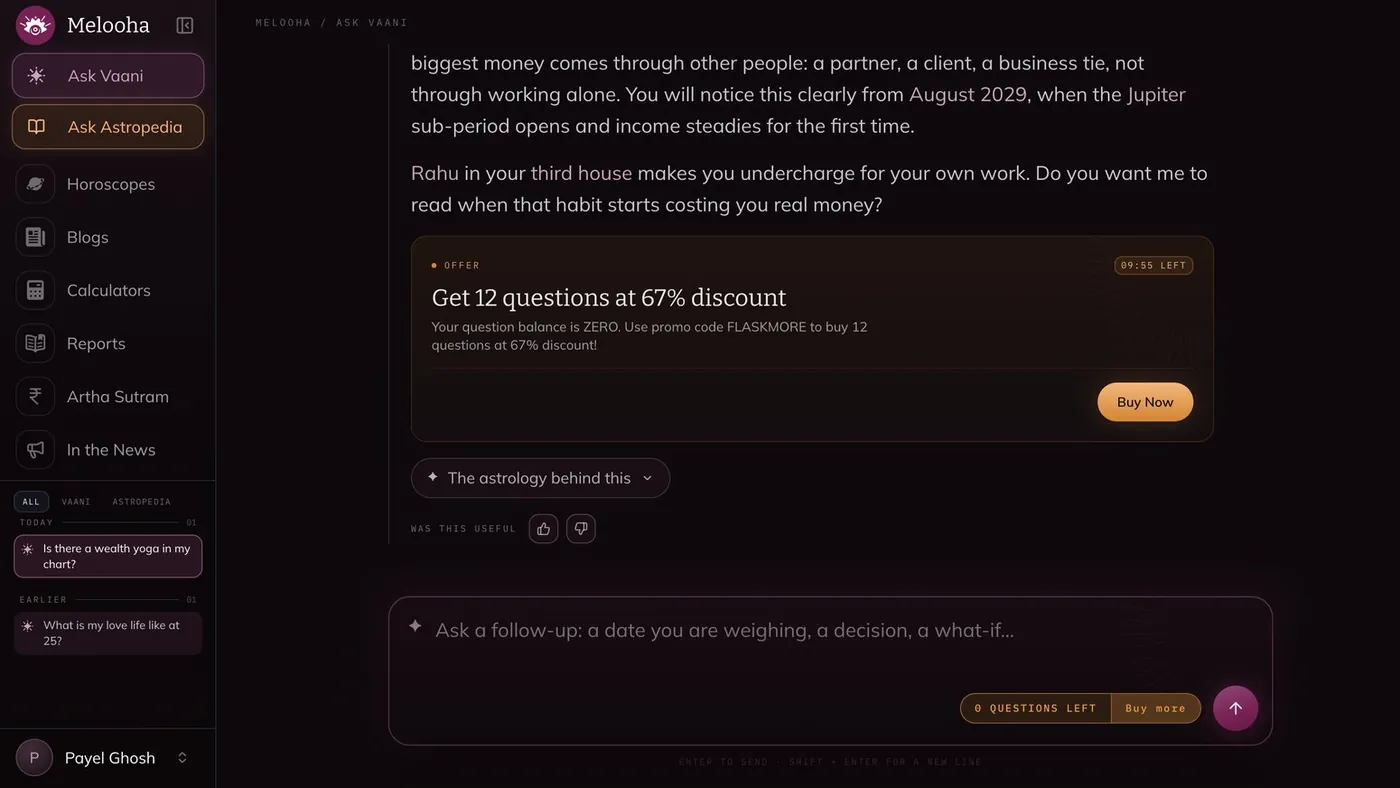
Every new user gets a personal snapshot and a free first question. Balances (“1 free question left”) stay visible, and offers appear at natural moments, like when the balance reaches zero.
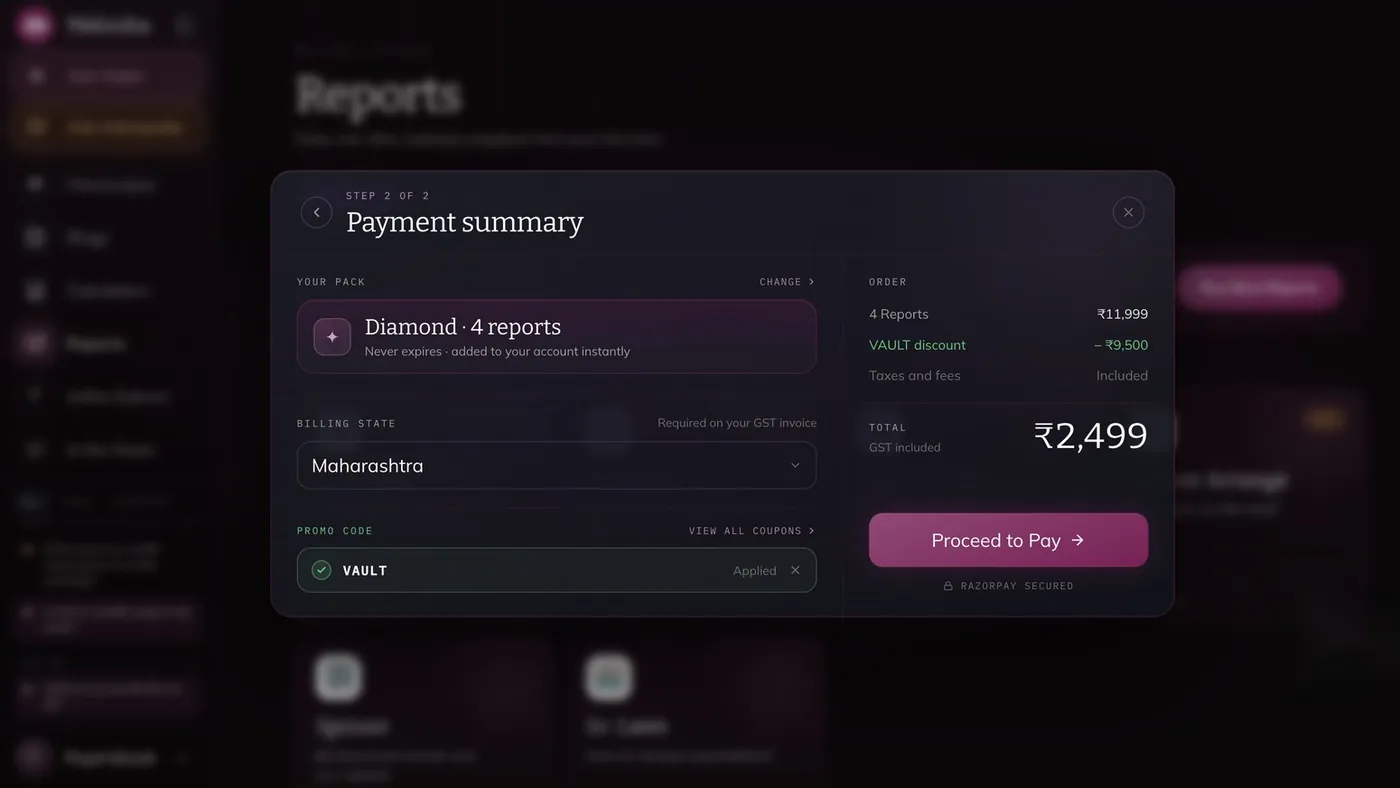
The cost: some revenue moves later in the journey. In return, the paywall arrives after the user has felt the value, with clear plans, the discount shown upfront and a secure payment summary.
Exact birth time gives the best reading.
Many people don’t know their exact birth time.
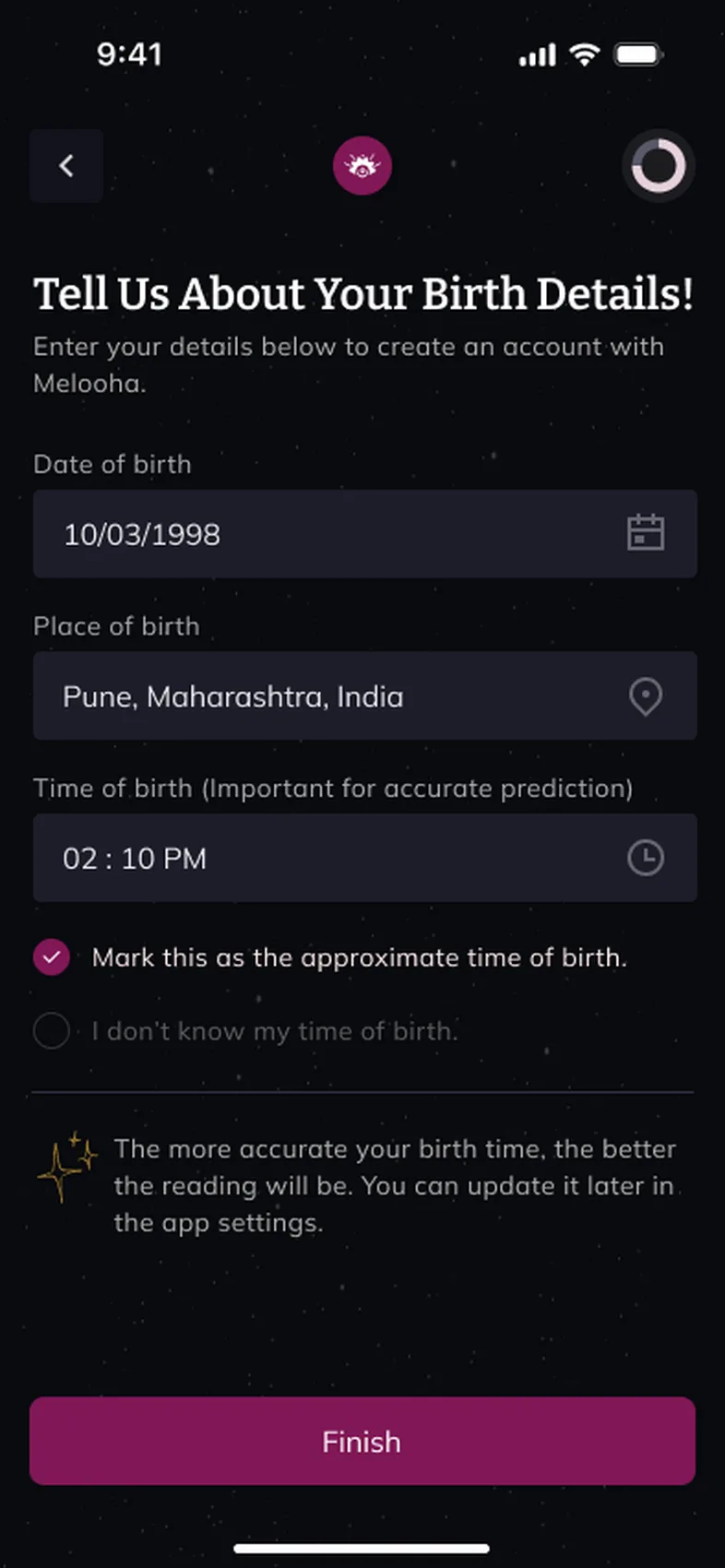
Instead of blocking, the form lets people mark the time as approximate or say they don’t know it, explains that accuracy improves with a precise time, and lets them update it later in settings.
Eleven mobile modules and eight web sections. Switch to Long read for the flows, prototype and details.
Eleven modules in the mobile app, from onboarding and questions to compatibility, reports, plans, referrals and profile, and eight sections on the web, all sharing one design system.


Sign up fast, then get something back right away.


Type or speak a question and get a chart-based answer.


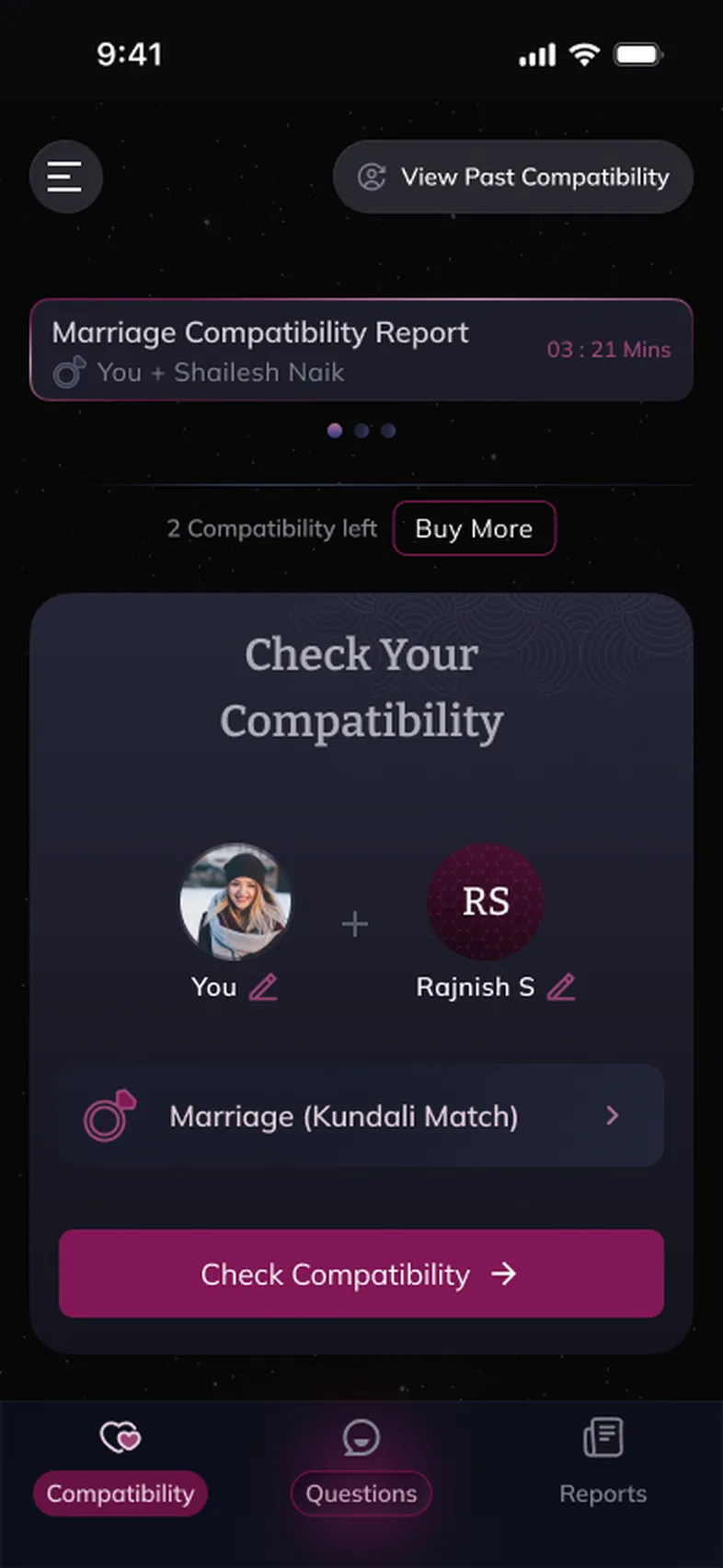
Check compatibility and ask for the people you love.


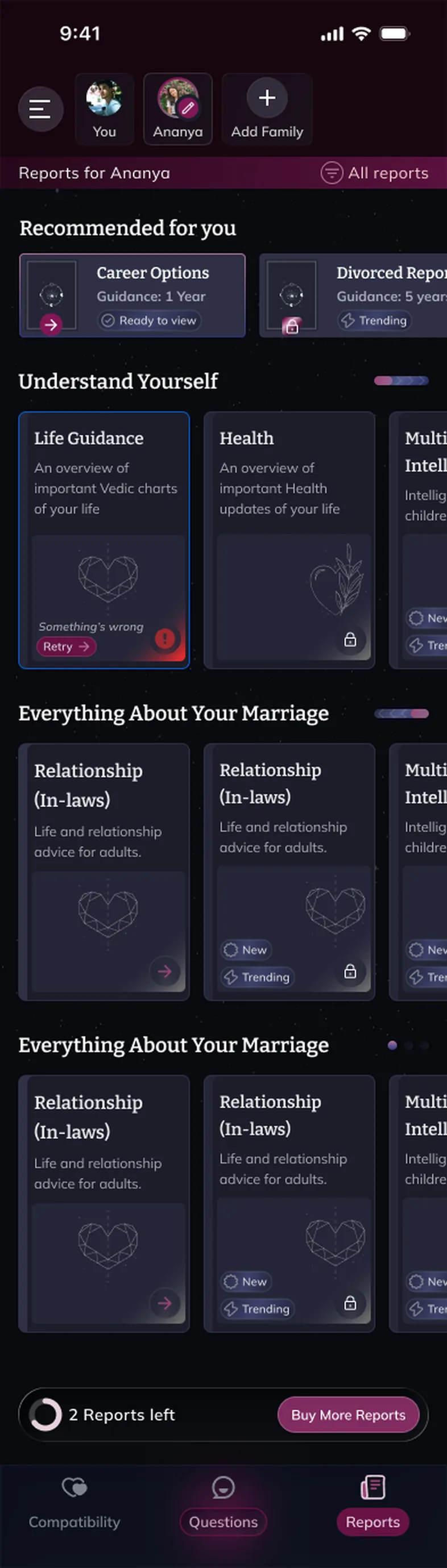
In-depth reports, fair plans and rewards for referrals.
Seven web flows and eight app flows, screen for screen. Long pages scroll, just like the real thing. Switch between web and mobile at any point and you stay on the same task. Pick a flow, then click where the guide points. Turn the guided tour off to explore without hints, or use Next and the arrow keys.
Mobile screens are exported straight from the Melooha Figma file; web screens are captures of the live site. Names, readings and prices are sample data from the mock-ups.
Short steps with a progress ring, plain reasons for each question, and a personal reward at the end.
123Suggested prompts beat the blank box, voice makes asking natural, and every answer can show its working.
1234Pick a person, pick the relationship, and ask follow-up questions about the pair.
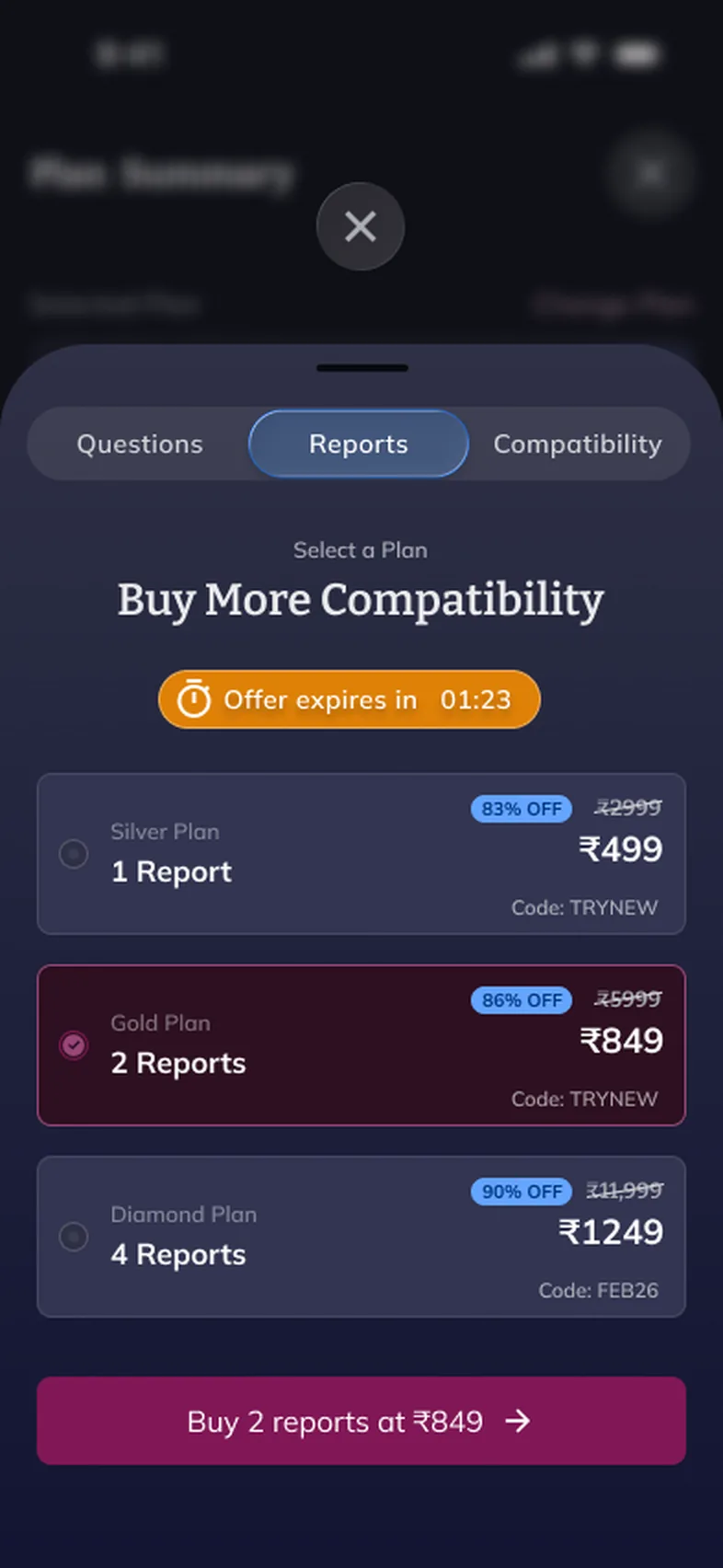
1234Plans show the discount and code upfront, timers are honest about urgency, and referrals reward sharing.
1234On the web, anyone can type a question. Sign-in arrives as a modal at the moment an answer needs a chart, then Vaani replies in a calm, chat-first space.
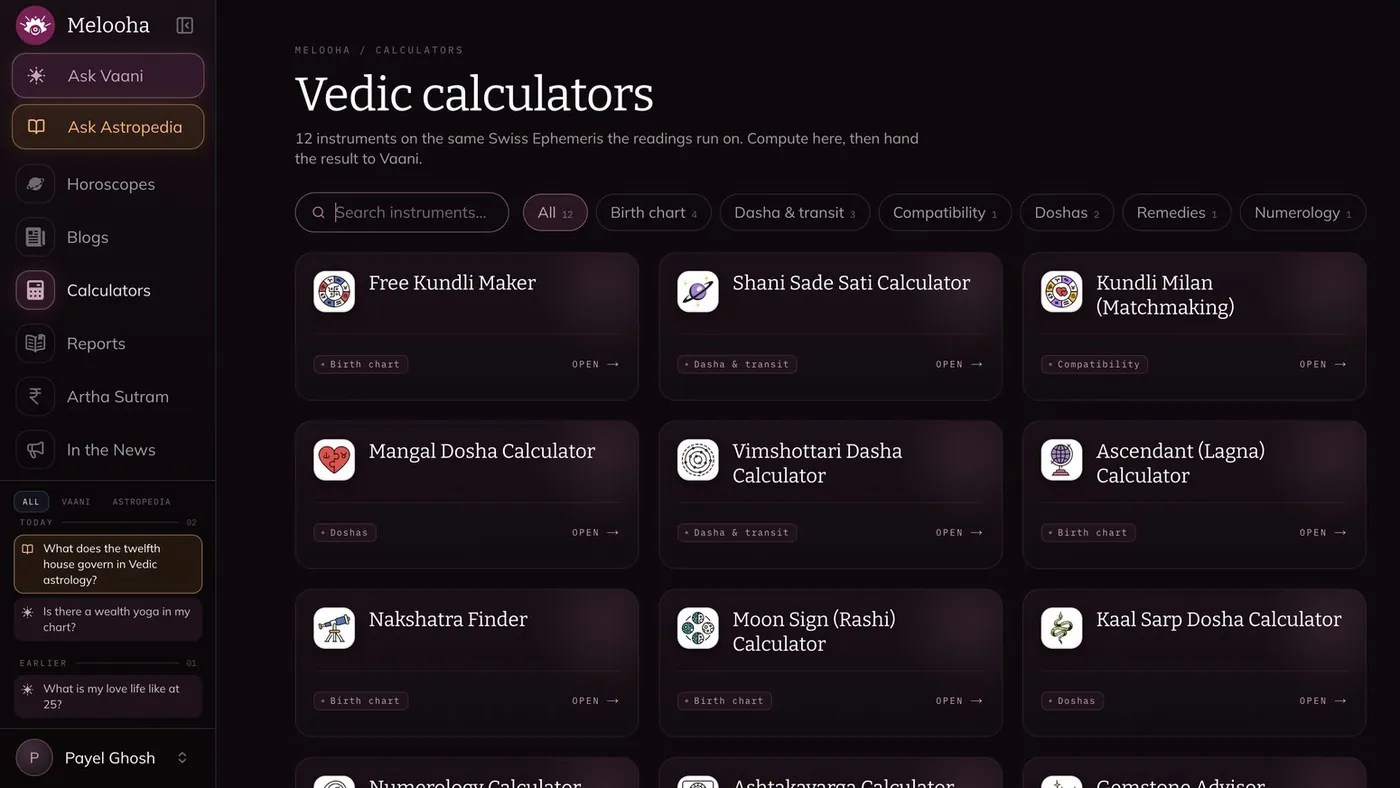
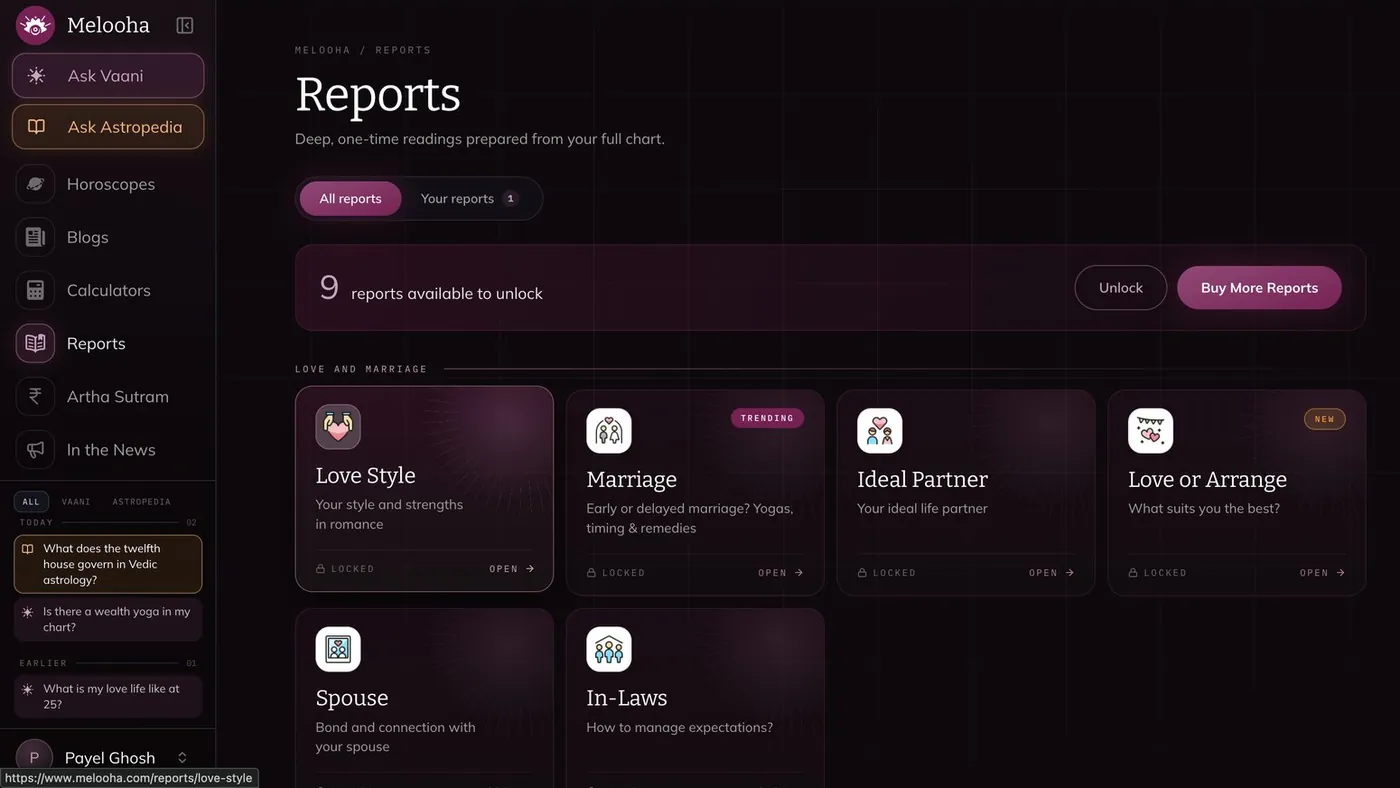
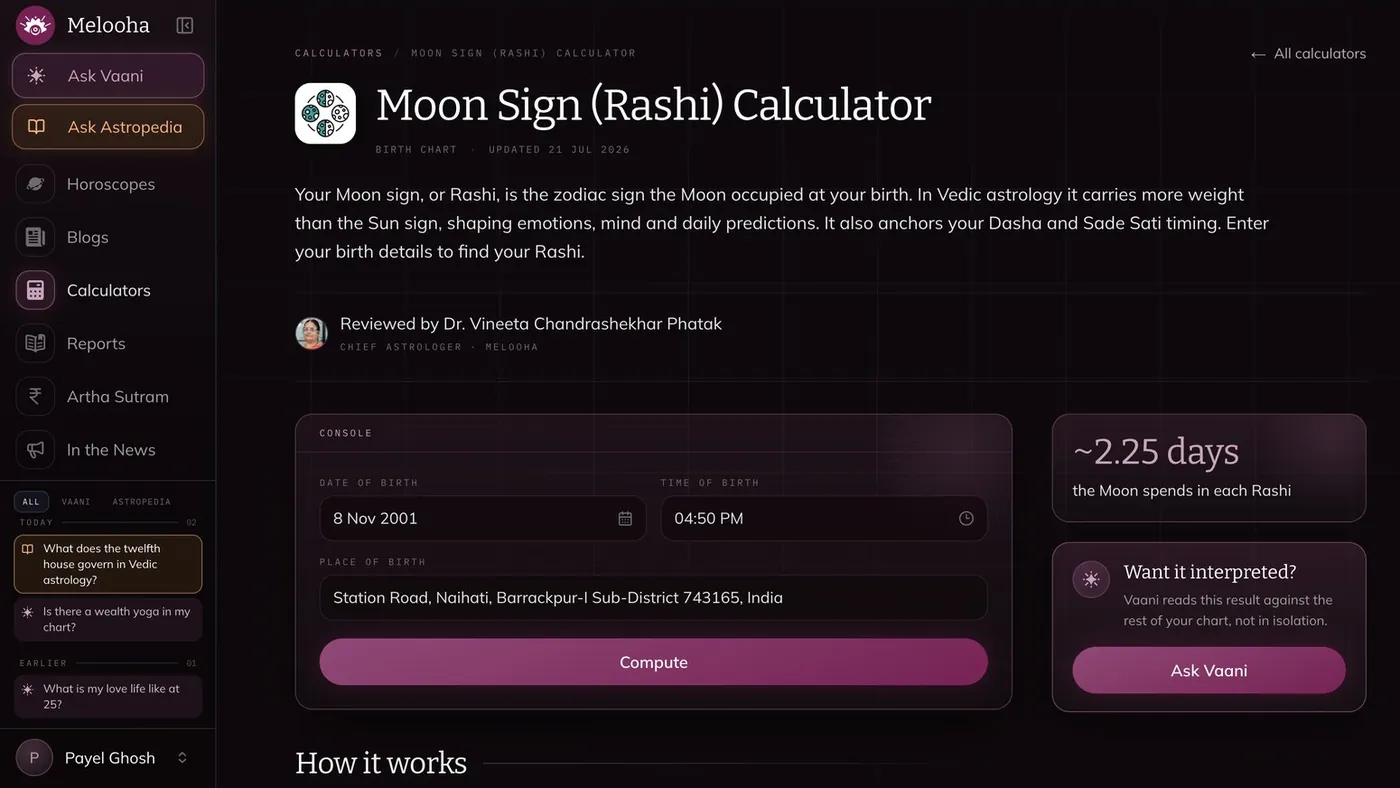
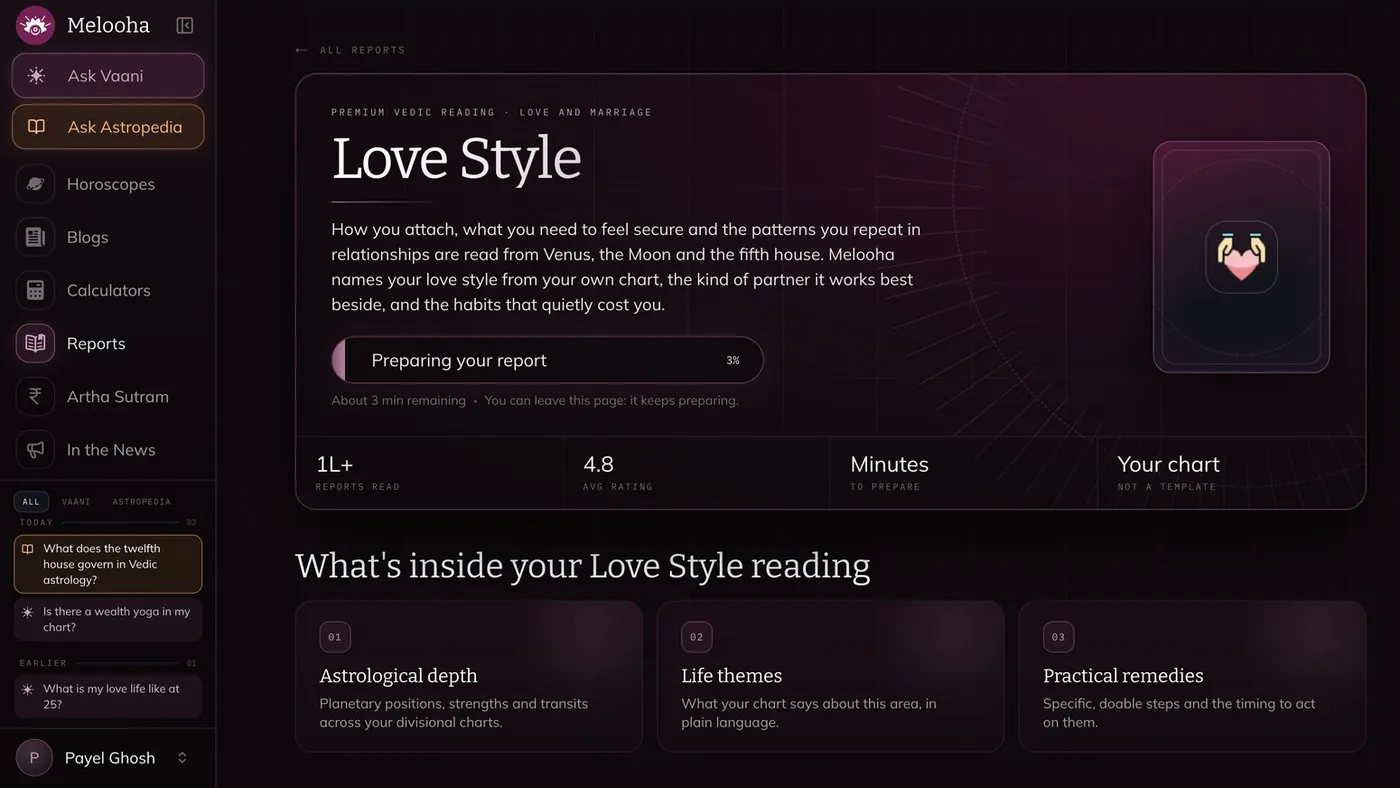
1234Horoscopes, calculators and reports turn the web into a place to explore, and each one hands off to Vaani for a personal reading.
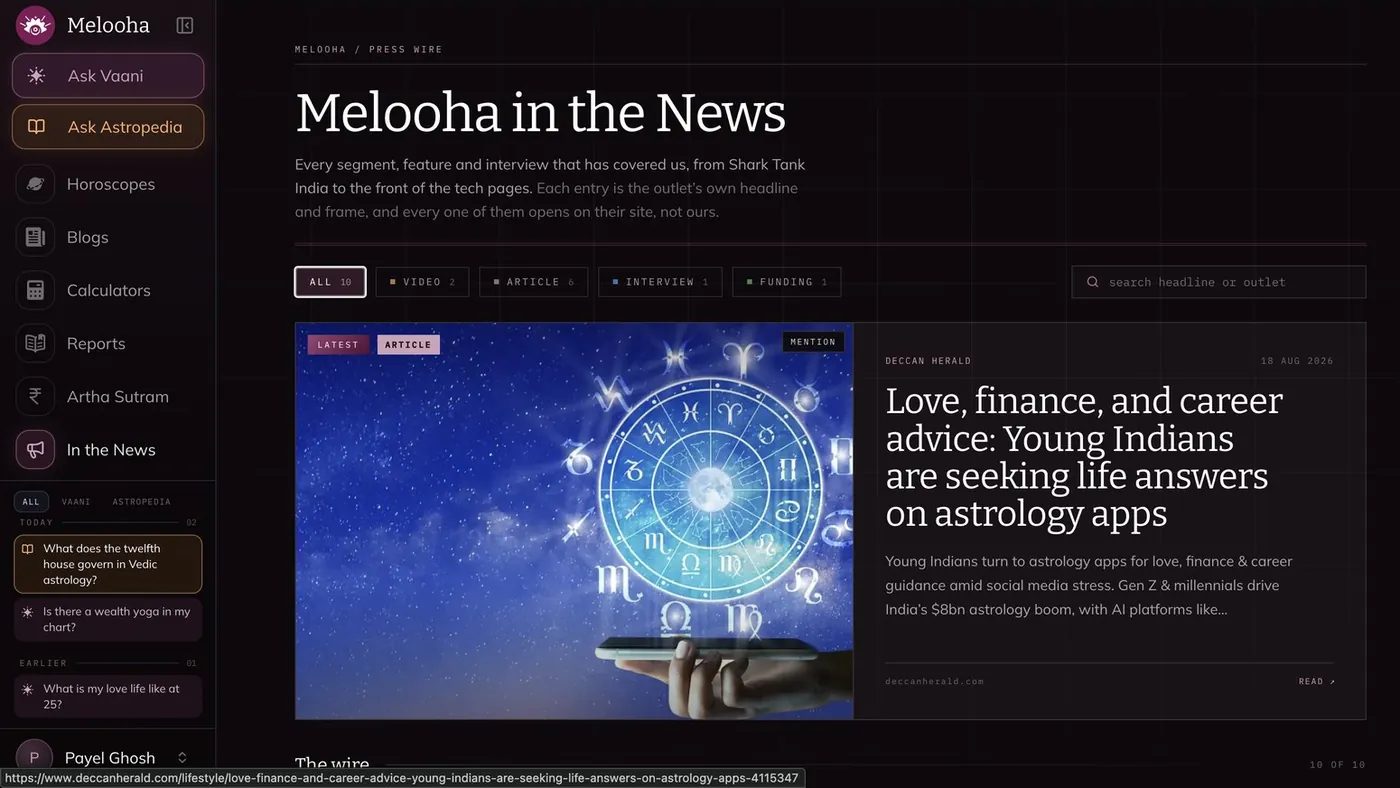
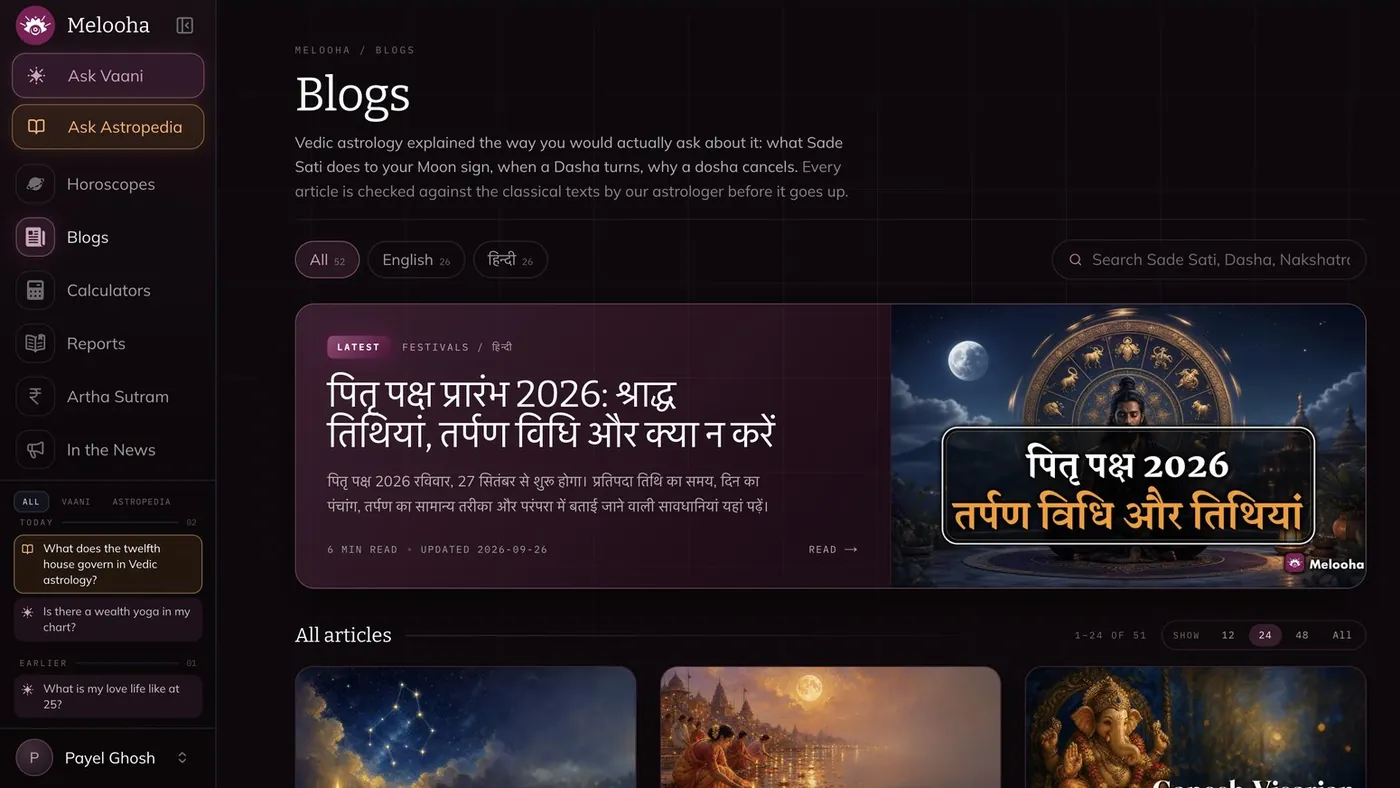
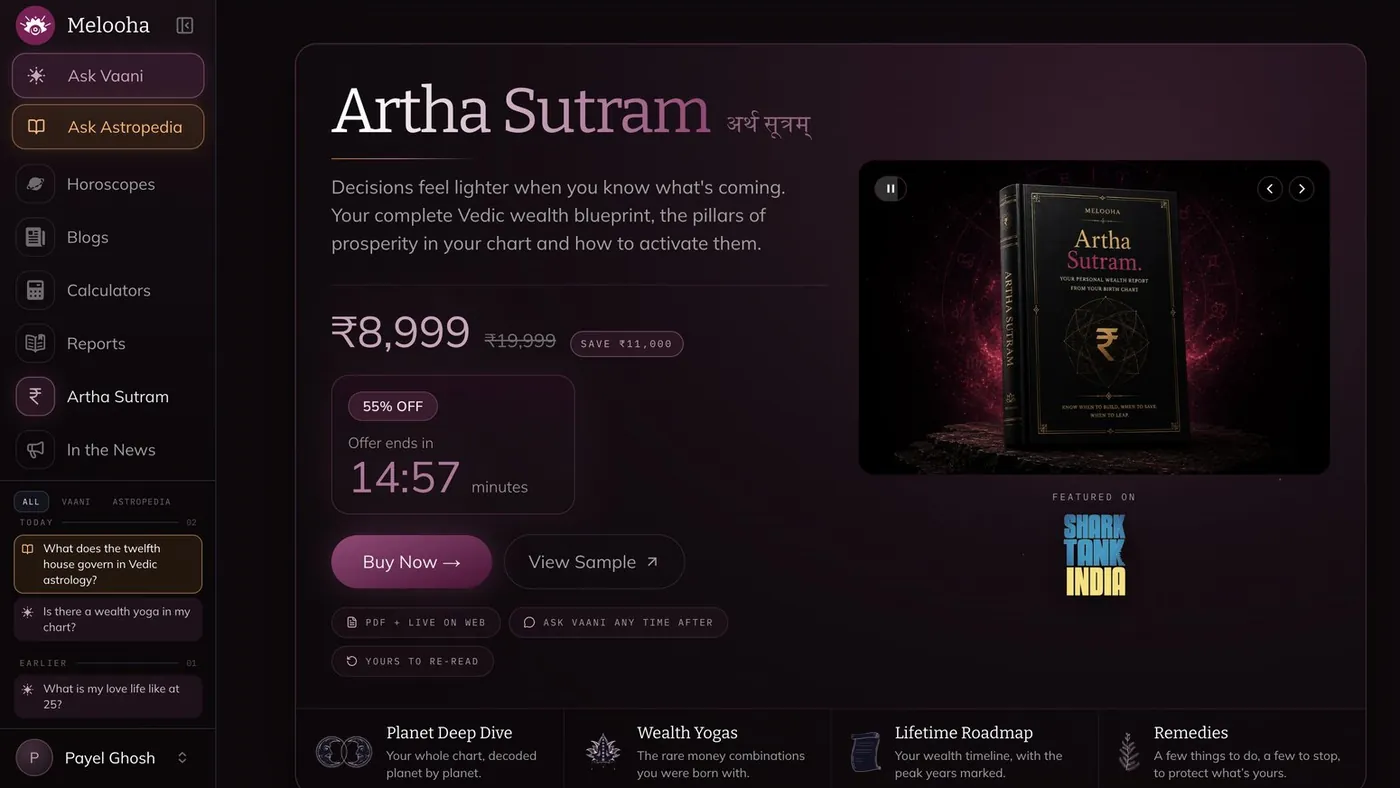
123Beyond asking, the web holds Melooha’s content and commerce: news, blogs, a premium wealth report, calculators and checkout, all in the same dark, plum-and-gold language as the app.


Vaani offers ready-made prompts, including trending ones and Hindi options, with a refresh to see more.
Why: many people know what worries them but not how to phrase it.
A microphone sits in the ask bar on every screen, with a clear “Stop” state while listening.
Why: personal questions are often easier to say than to type, especially in your own language.
“Check astrological references” opens the chart factors behind each answer, with feedback, listen and share actions.
Why: explainable answers feel credible, not generic.
A family switcher sits at the top, with a clear “Asking for yourself / Asking for family” banner.
Why: people ask for parents, partners and children, and mixing them up breaks trust.
Approximate and “I don’t know” options, with a note that accuracy improves with a precise time.
Why: this is the highest drop-off step; blocking it loses people.
Anyone can type a question. The sign-in modal appears only when an answer needs a chart, and explains why: “This needs your birth chart.”
Why: asking is the hook; a login wall before it would lose curious first-time visitors.
Calculators end with “Want it interpreted? Ask Vaani”, reports offer “Ask Vaani first”, and blogs close with “Every article, run against your own chart”.
Why: generic content becomes personal the moment it connects to your chart.
Remaining questions, reports and compatibility checks show where they’re used, with plans, discounts and codes upfront.
Why: surprises at checkout feel like tricks; clarity feels fair.
The redesign set out to validate whether a more intuitive onboarding experience, clearer personalized predictions and simplified purchase flows could improve usability, build trust and encourage continued engagement.
The design exploration includes A/B variants for onboarding and the purchase and promotional modules, alongside an engagement journey for users’ first hours after signing up.
The proposed validation combines heuristic evaluation, usability testing and A/B testing to assess how effectively users complete onboarding, understand personalized insights, navigate family profiles and discover premium features.
The heuristic audit identified opportunities to improve clarity, reduce friction and communicate value earlier in the experience. The proposed usability and A/B tests would help determine which design variants perform better before implementation.
Evidence note: The design file contains A/B variants, but this does not establish that live A/B tests or usability sessions were conducted. No winning variants, participant feedback or performance results are claimed.
A complete product experience across mobile, web and AI-powered astrology features, focused on simpler onboarding, more personal guidance and a consistent experience across every user journey.
The project delivered 11 mobile modules, 8 web sections and 12 Vedic calculators integrated with Vaani, supported by a UX audit of 8 existing user flows. The redesign addressed friction across onboarding, personalized insights, family profile management and purchase journeys, laying the foundation for improved engagement, conversion and retention.
Evidence note: These numbers are project deliverables, not measured business impact. Onboarding completion, first-question rate, paid conversion, app ratings and retention have not been verified with analytics or A/B test results.
Reward effort quickly. The moment after birth details is the one that decides whether people stay, so it deserves the most care.
Copy is UI. Small words (“Verify” on a step that isn’t verification, “Get OTP” instead of “Continue securely”) change how safe a flow feels.
Audit what you ship. Looking back at live flows with fresh eyes found issues no review of static mock-ups would.
Next time, I’d set up funnel metrics before launch, so each onboarding change could be measured, not just argued.
A near-black starfield, layered navy surfaces and a deep plum primary, with Bitter for headings and Mulish for everything else. The web carries the same palette, with warm gold for Astropedia and offers.
Bitter SemiBold for headings gives a classic, almanac feel; Mulish keeps answers easy to read.
Hand-drawn chart lines, zodiac glyphs and report illustrations for career, marriage, health and more.
© 2026 Payel Ghosh · Designed with curiosity, tea and one very fluffy co-pilot