Onboarding & band
Account, consent, band pairing and health access, in three clear steps.
- 01Welcome & terms
- 02Account setup
- 03Band pairing & troubleshooting
- 04Apple Health access
A smart coach and a real care team, built on the data from your band.
A short film cut from the real all.health app designs, with generated ambient music. Names and readings are sample data from the mock-ups.
Lead with a story and one next step. Keep the full charts one tap away.
A band, a scale and a blood-pressure cuff collect thousands of data points a day, but numbers alone don’t change habits, and members felt far from the clinicians behind their plan.
A smart coach that turns band data into morning and evening briefs, nudges and one-tap tasks, a timeline of the day, deep data views, and a care-team chat with text, photo and voice.
Show everything the band measures, or just what matters today? Lead with a story and one next step, and keep the full charts one tap away.
Product designer, working with a team of 4 developers. I designed onboarding and band pairing, the smart coach, Today, data.health, the care team and profile, plus card types and edge-case states.
all.health pairs a wrist band with a scale, a blood-pressure cuff and a glucose meter, and connects members to a team of clinicians. The data was there. The question was what to do with it.
Raw charts ask people to be their own analysts. Members needed to know how they slept, whether today was on track and what to do next, without reading graphs. And because it’s health data, the product had to earn trust from the very first screen, from consent and privacy to pairing the band.
A sleep score of 72 means little on its own. People needed the “so what” and the next step.
Accounts, consent, Bluetooth, pairing and Apple Health access: lots to do before any value appears.
Clinicians were part of the plan, but reaching them felt formal and slow.
…turn a band’s constant stream of data into a few clear, timely next steps, and keep a real care team one message away?
We mapped a member’s day, from waking up to going to bed, and asked what the band knows at each moment and what the person actually needs.
That “day in the life” became the backbone of the product: a brief in the morning, nudges during the day, a recap in the evening, and data when you want to dig in. To test it, we planned interviews, clinician input, a competitor review and an analytics plan around one question: how do people track their health, read wearable data, react to notifications and decide when to seek care?

Ages 22–35. Uses a smartwatch or fitness tracker regularly; interested in sleep, activity, recovery and performance trends.
Ages 35–50. Tracks a few health indicators and wants understandable information without complex medical terms.
Ages 50–65. Wants to follow trends, understand concerns and share relevant information with healthcare professionals.
“I can see my health score, but I don’t always understand what it means.”
Opportunity: plain-language insights with supporting trends.
“When something looks unusual, I don’t know whether to worry or ignore it.”
Opportunity: clear next steps and a path to professional care.
“There are so many charts that I don’t know which one to look at first.”
Opportunity: progressive disclosure, with the daily summary first.
“I’d want to know why the app is recommending something.”
Opportunity: show what data informed each recommendation, and its limits.
Statements are illustrative, not participant quotes.
The notes we listen for, clustered into themes, and the part of the product each one shapes.


Which wearable measurements are clinically meaningful, and when?
How should abnormal readings be shared without causing unnecessary anxiety?
Which suggestions can be automated, and which need clinical oversight?
How should missing, inconsistent or inaccurate readings be handled?
When should members be encouraged to contact a professional?
Sleep, readiness and activity in approachable summaries.
Link insights more directly to daily actions and care.
Recovery, strain and personalised performance insights.
Explanations that work beyond fitness audiences.
Aggregates health categories and long-term trends.
Contextual guidance across different signals.
Daily activity, goals and progress tracking.
Personal explanations and smoother paths to care.
Directional observations, not a scored usability study.
Seven signals, grouped by where they sit in a member’s journey.
Explain health data in everyday language.
Connect each metric to trends and circumstances.
Offer appropriate, achievable next steps.
Be clear about data limits and access to professional care.
These themes shaped the conversational coach, the Today timeline and the dedicated data experience. Next, they need validating through real interviews and usability testing.
The same night of sleep can be a notification, a card, a story or a chart. We explored where each belongs.
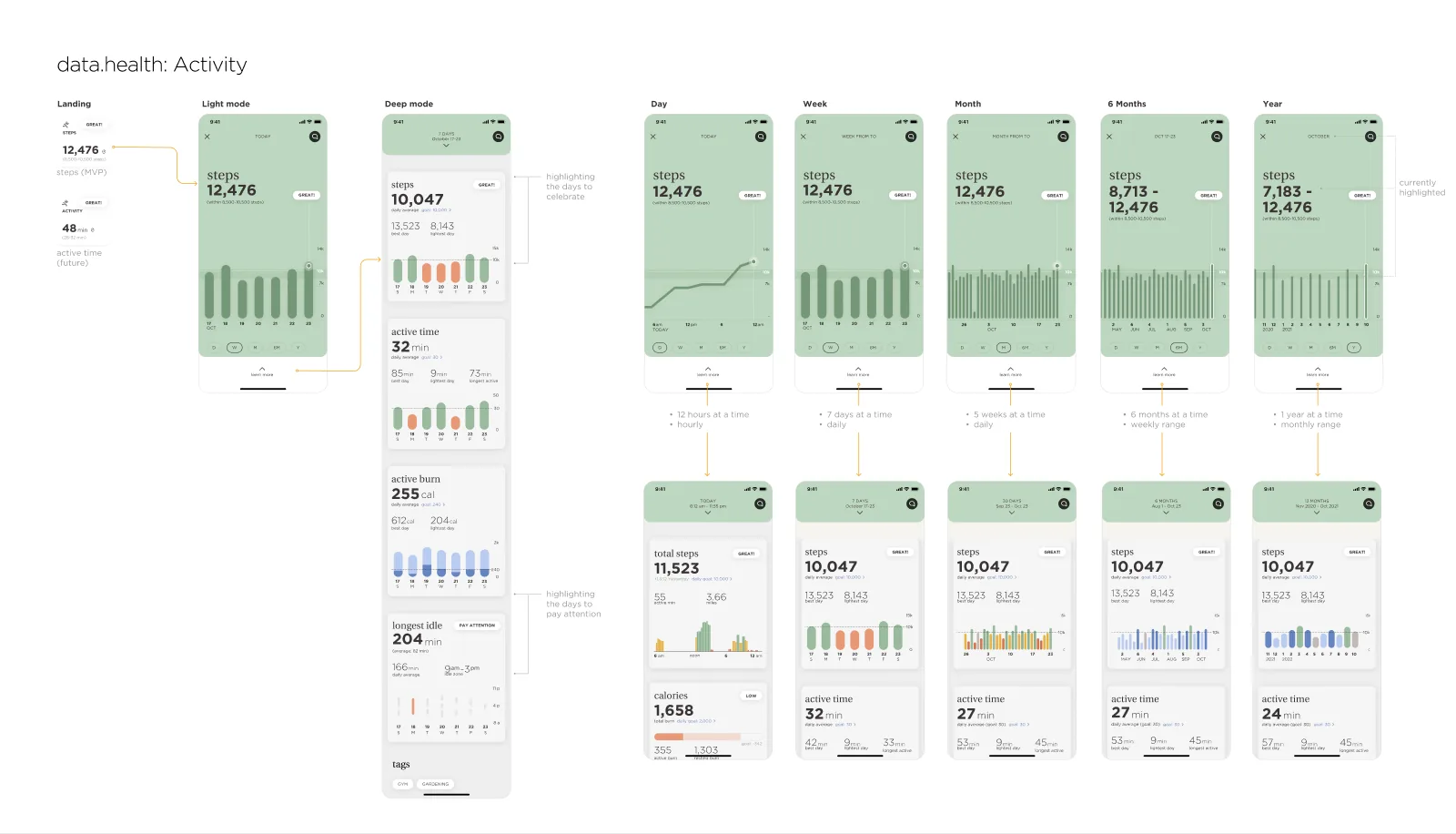
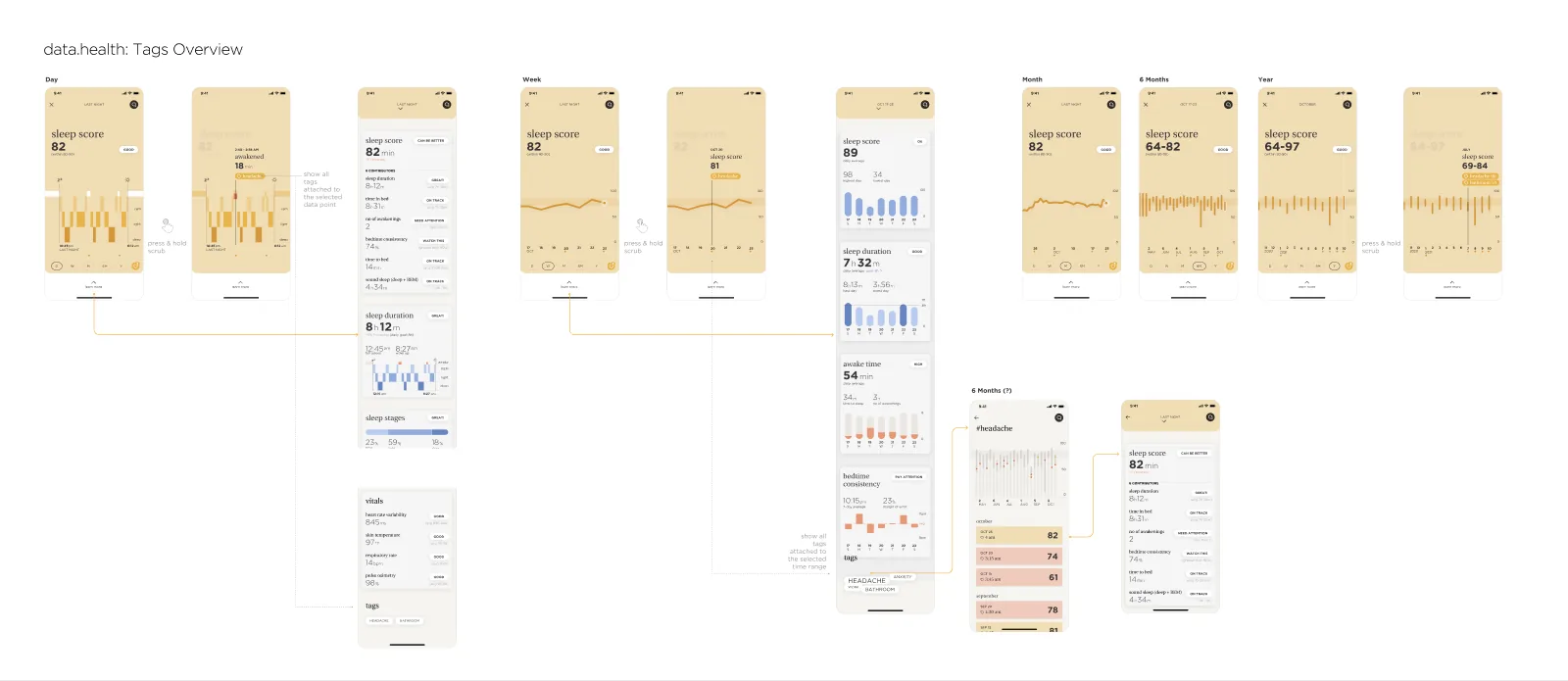
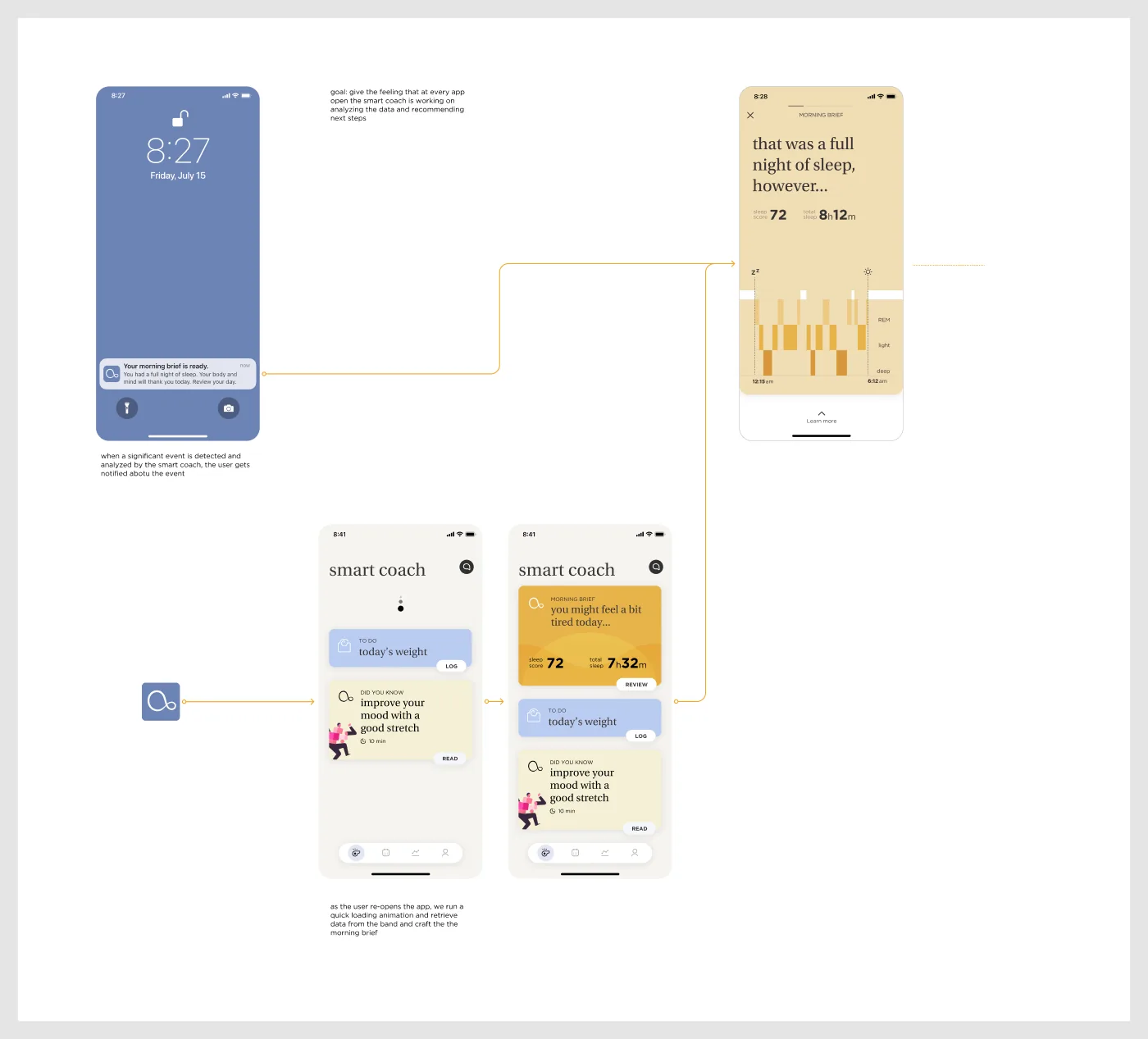
The design file maps “experience flows” for a morning brief, an evening brief, a hydration reminder and a significant move event, each going from push notification to smart-coach card to detail. data.health was explored in light and deep modes, across day, week, month, six months and a year.
Every metric on the home screen. Complete, but overwhelming, and it puts the work on the member.
Too much at onceLightweight, but easy to dismiss, and there’s nowhere to see the bigger picture.
Too thinA smart coach that speaks first, a Today timeline for the day’s rhythm, and data.health for depth, linked from every card.
Chosen
Heart rate, sleep stages, steps, active burn, idle time, weight, blood pressure, glucose.
One sentence about how they’re doing, and one thing to do next.
Every card leads with a plain-language headline and a single key number. “Review” opens the full story; “learn more” opens data.health with day, week, month, six-month and year views.
The cost: some depth sits one level down. In return, the first screen is calm, and the charts are there for the members (and clinicians) who want them.
Health data needs explicit consent and clear policies.
Every extra onboarding step risks drop-off.
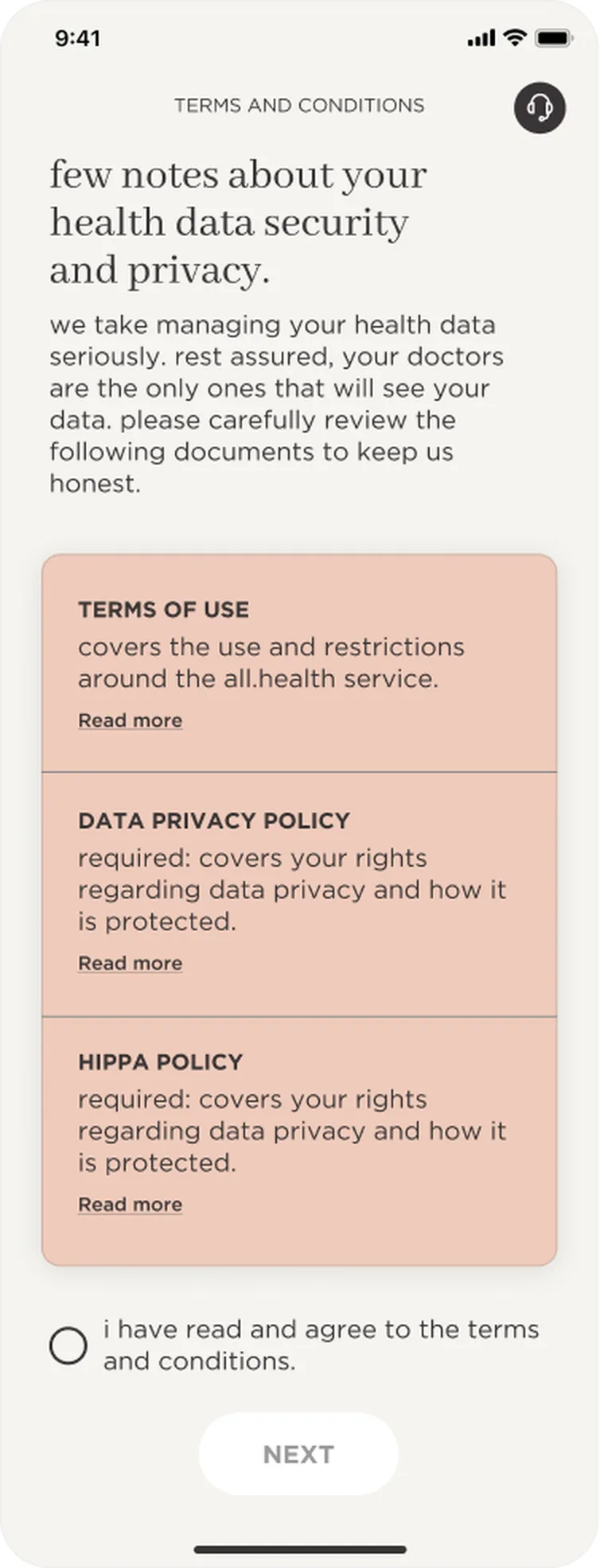
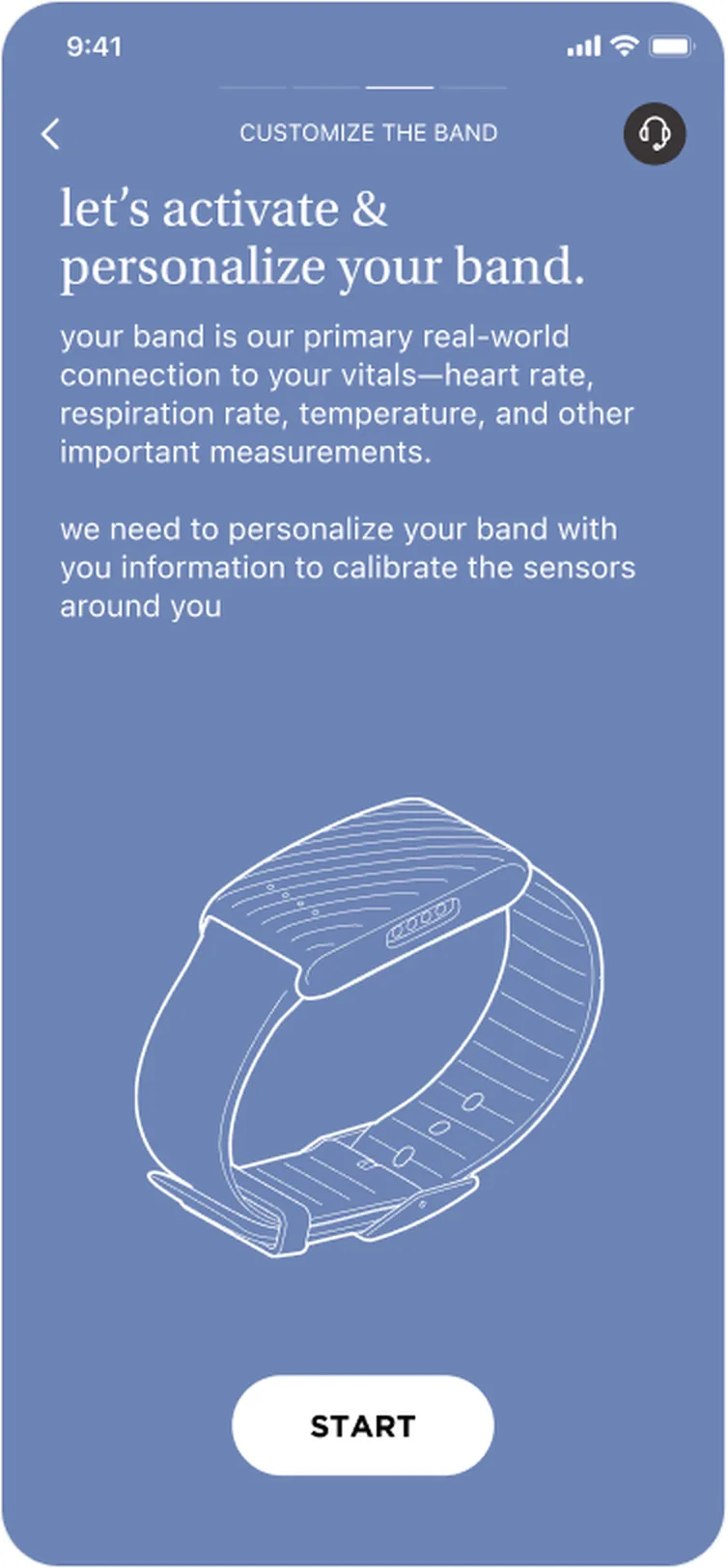
Onboarding shows the whole path upfront (three steps: account, band, health access), explains privacy in plain words before asking for agreement, and keeps a support button on every screen.
Six areas of the app, one coaching rhythm. Switch to Long read for the flows, prototype and details.
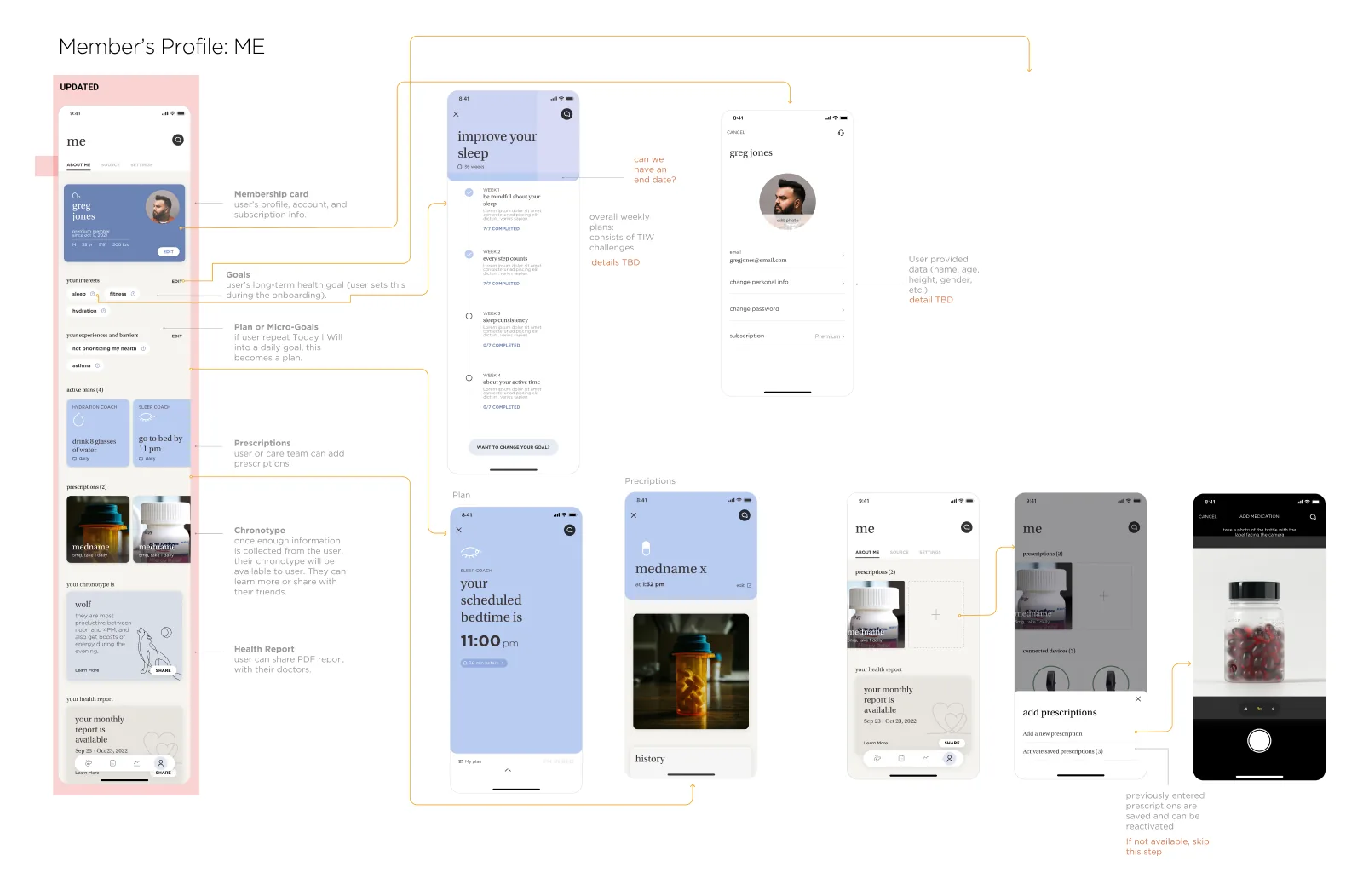
Onboarding and band pairing, the smart coach, Today, data.health, the care team and the member profile, all built on one card system.

Account, consent, band pairing and health access, in three clear steps.

Briefs, nudges and to-dos that turn band data into next steps.

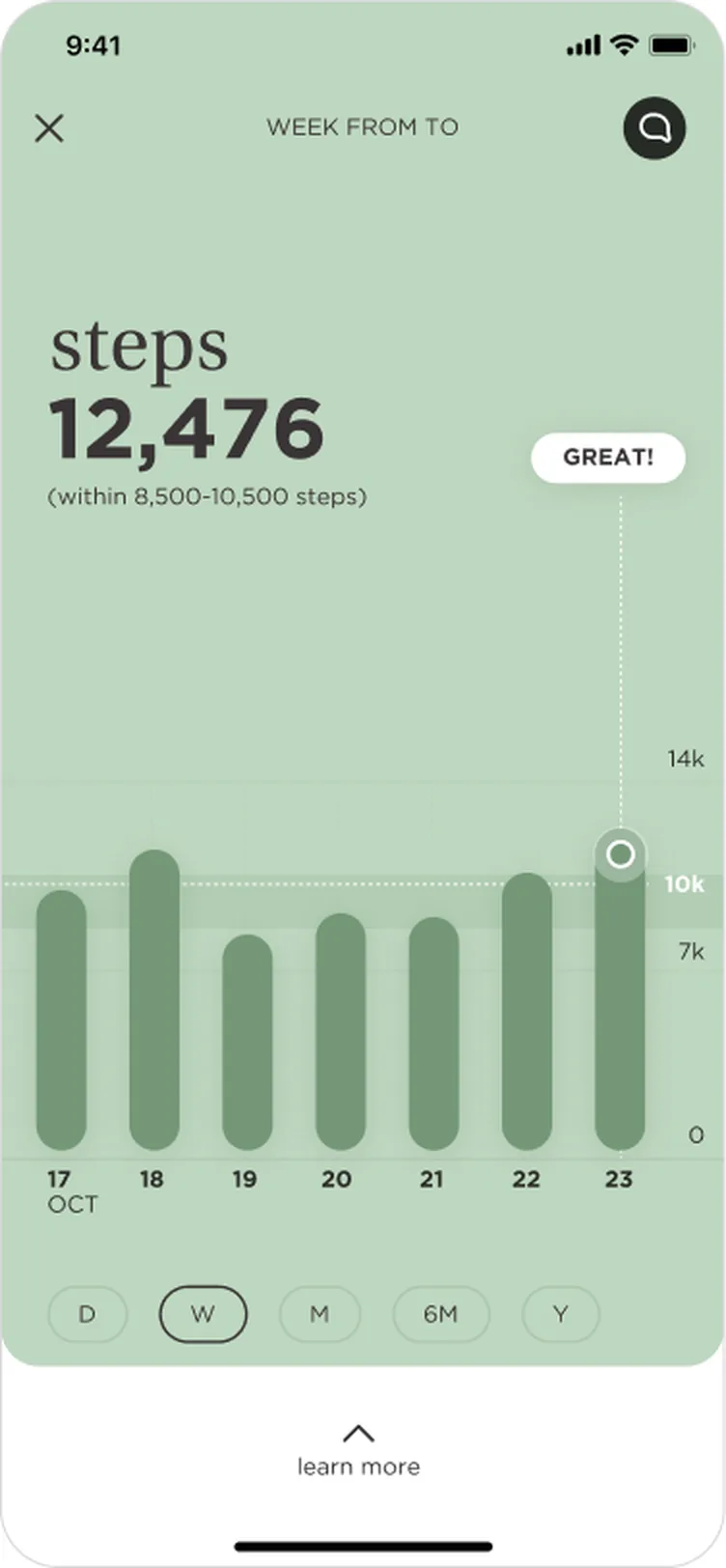
Every metric over a day, week, month, six months or a year.

A group chat with clinicians, and a profile that holds the plan.
Ten flows from the final designs, screen for screen. Long screens scroll, just like the real thing. Pick a flow, then tap where the guide points. Turn the guided tour off to explore without hints, or use Next and the arrow keys.
Every screen is exported straight from the all.health Figma file. Names, readings and clinicians are sample data from the mock-ups.
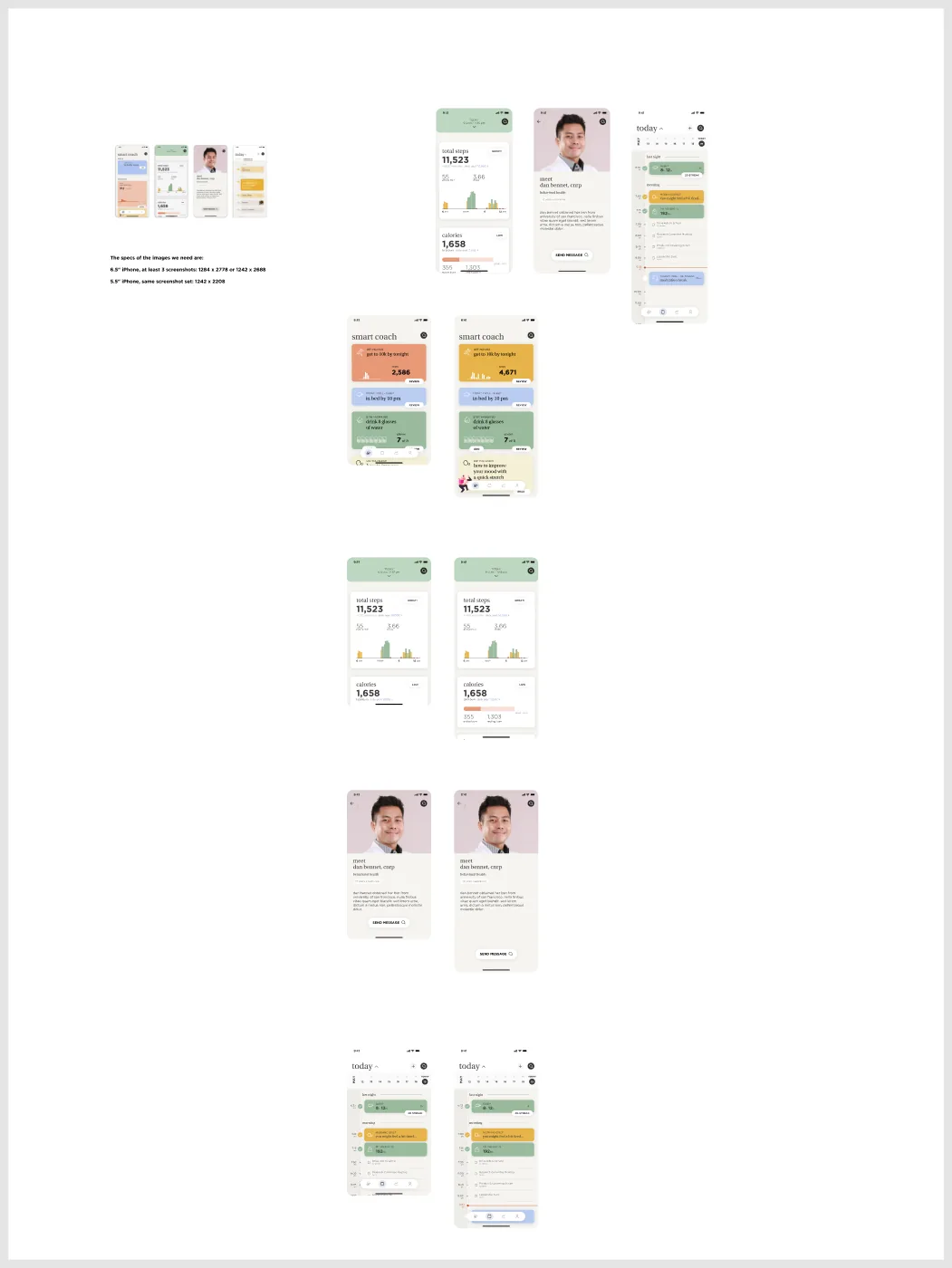
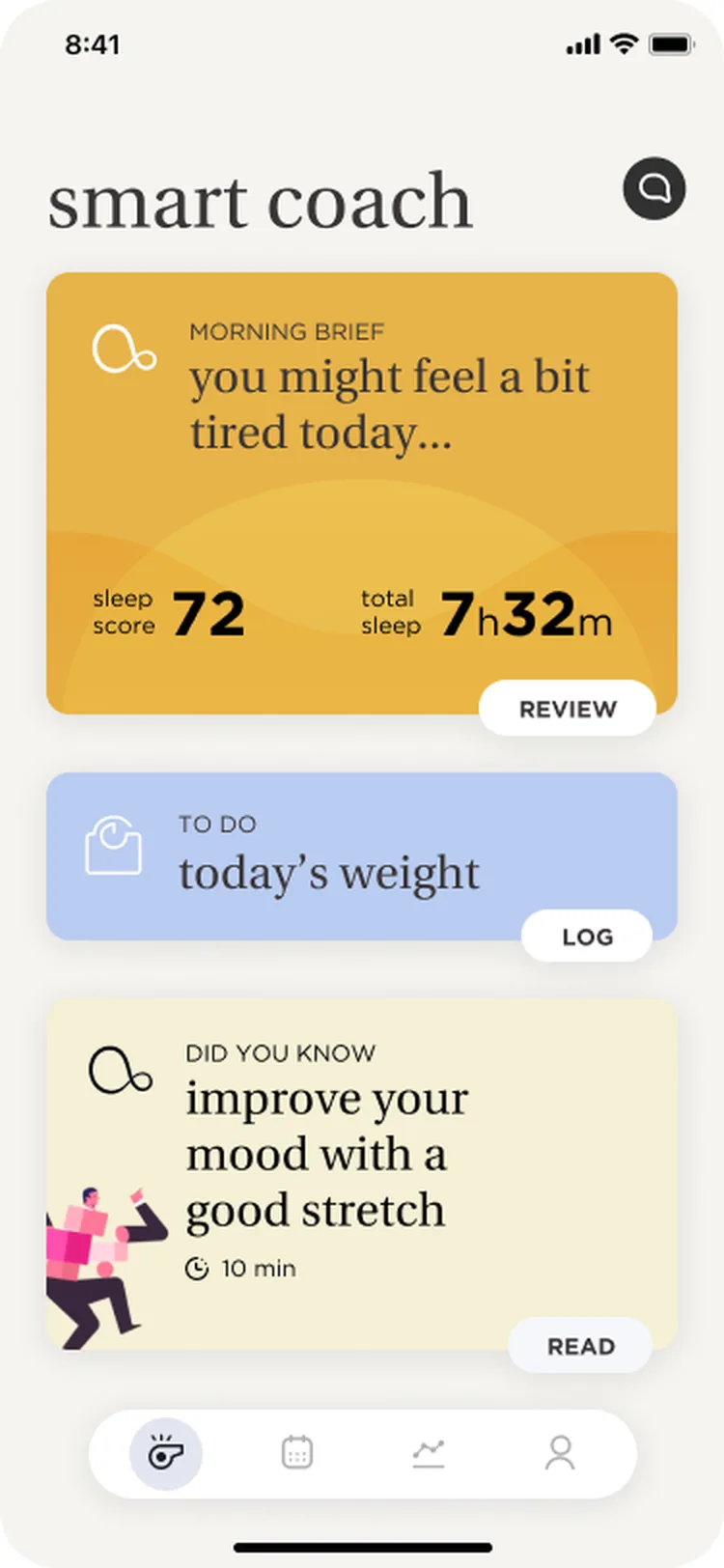
Every app open shows what the coach has found, as cards that each carry one headline and one action.
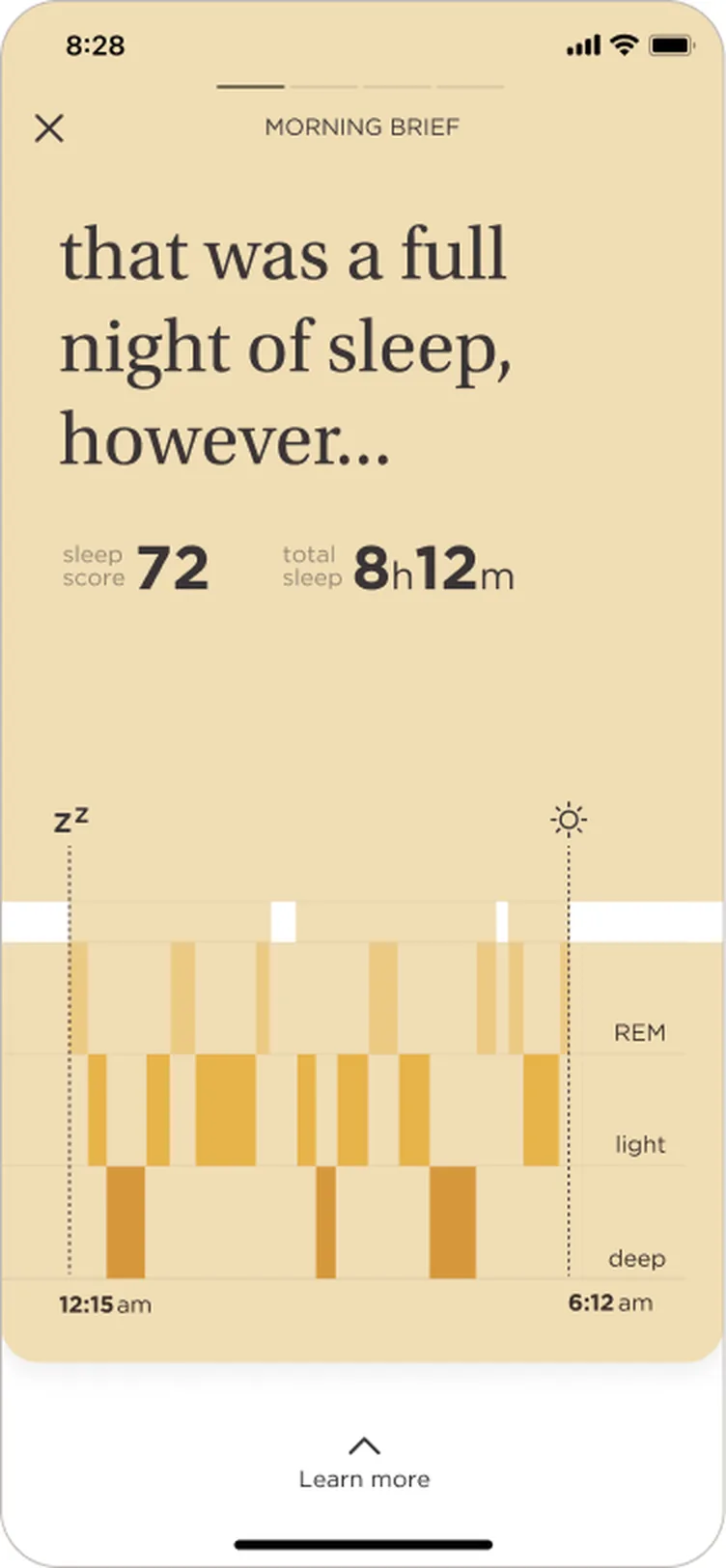
1234Briefs open full-screen in the colour of the moment, with the sentence first, then the number, then the chart.
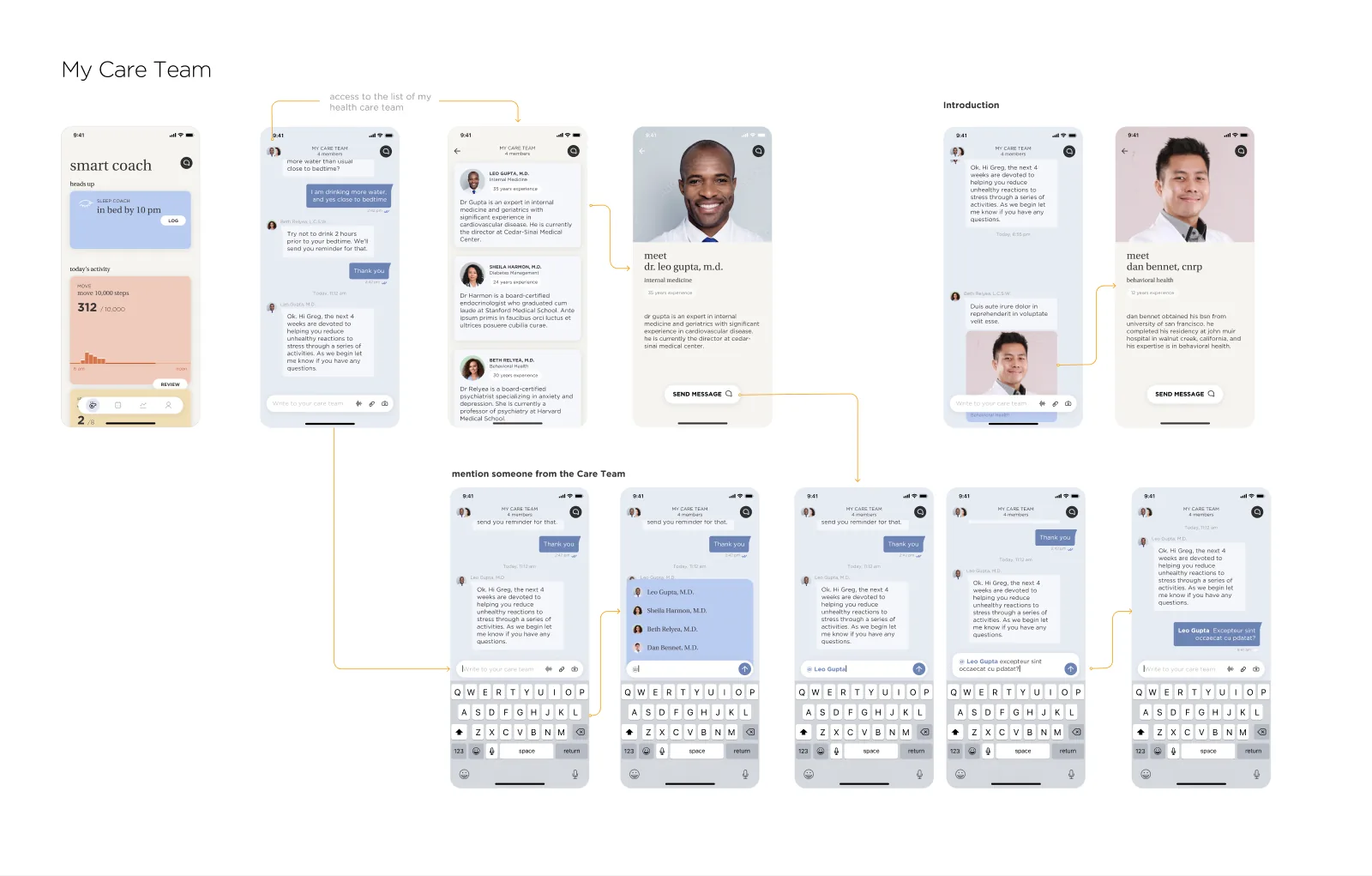
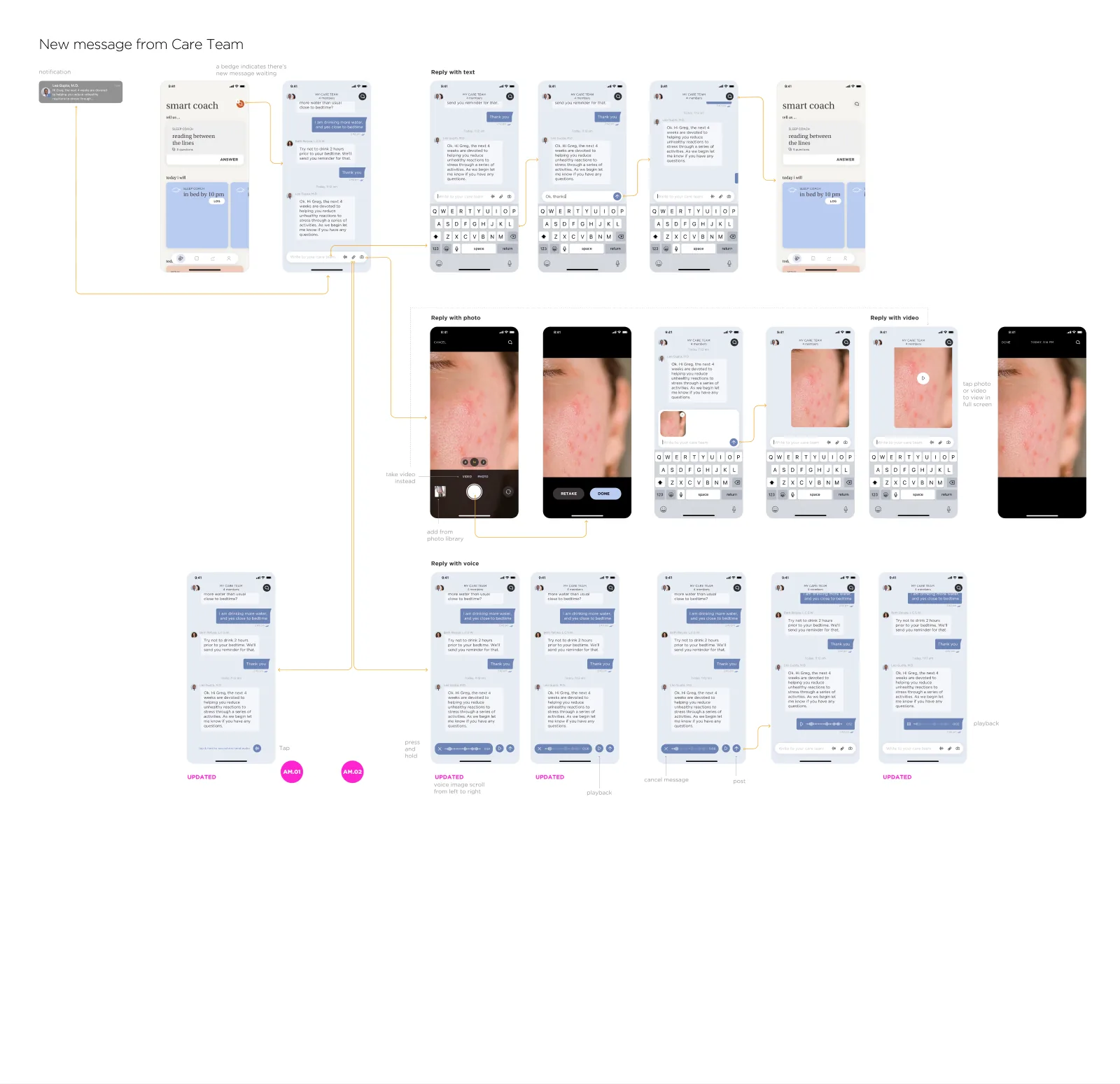
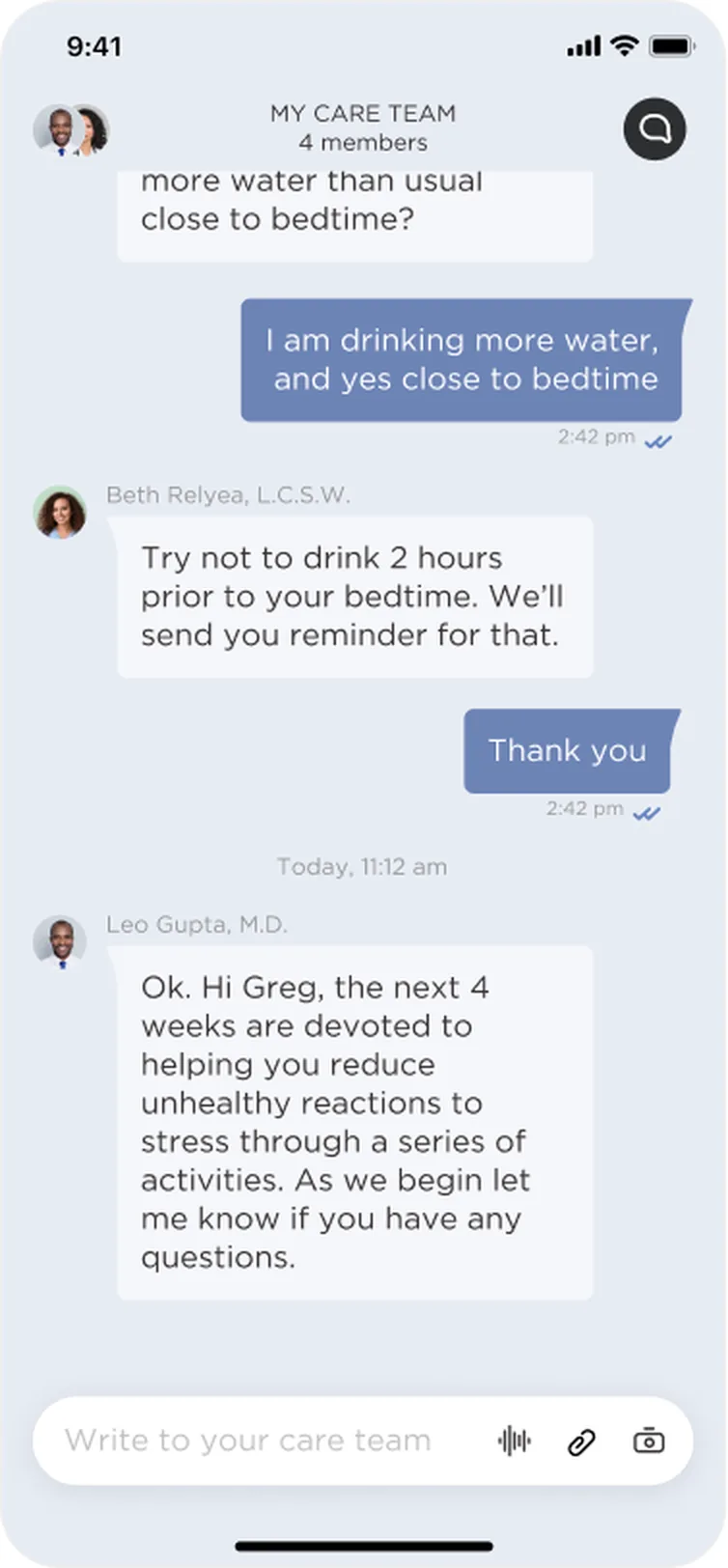
1234A group chat with the whole care team, where each message shows who sent it, and replying works however is easiest.
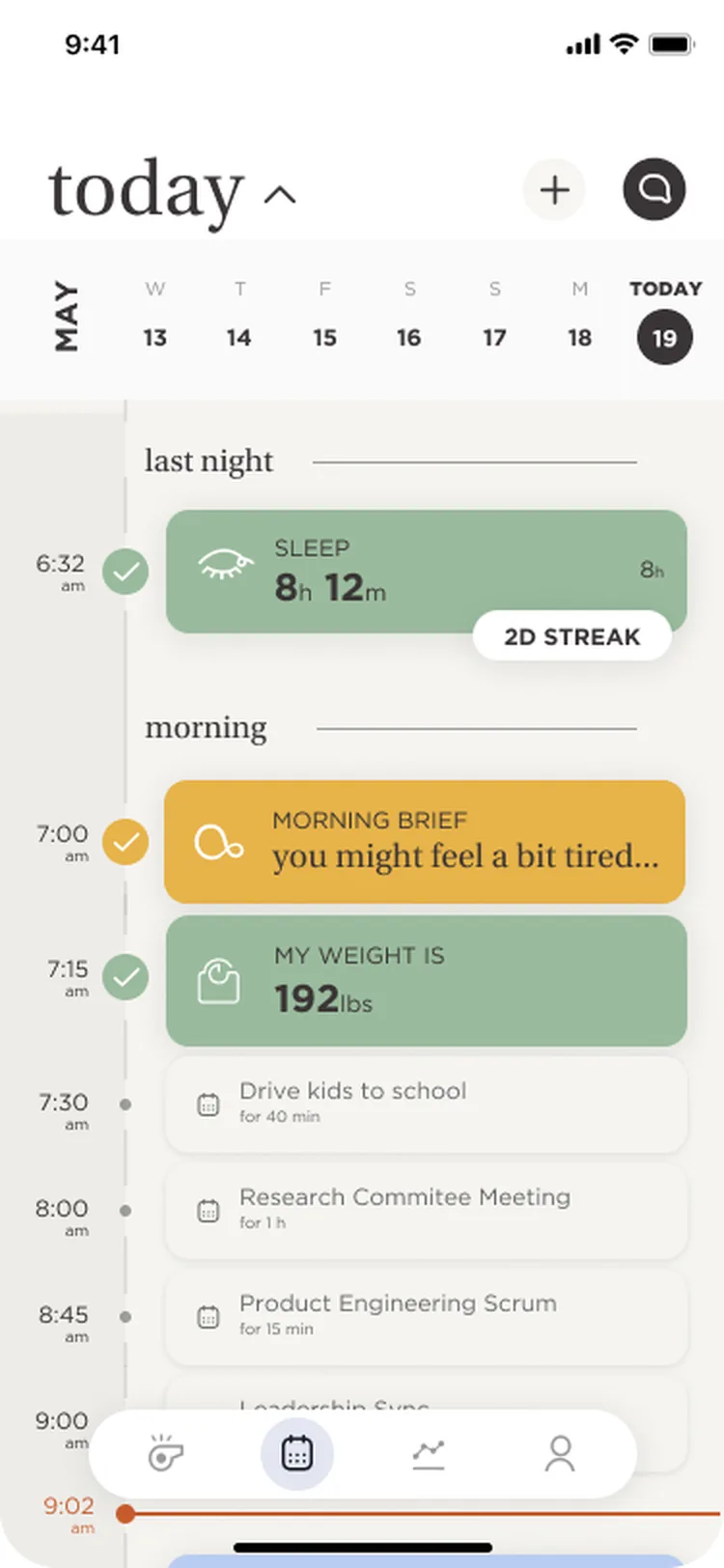
123Today lays the day out as a timeline in the colours of each moment; data.health zooms out to weeks and months.
1234Each area was designed as a full flow, with states, transitions and notes for the team. A few of the boards from the file:


“That was a full night of sleep, however…” comes before the 72 and the sleep stages.
Why: people act on meaning, not metrics.
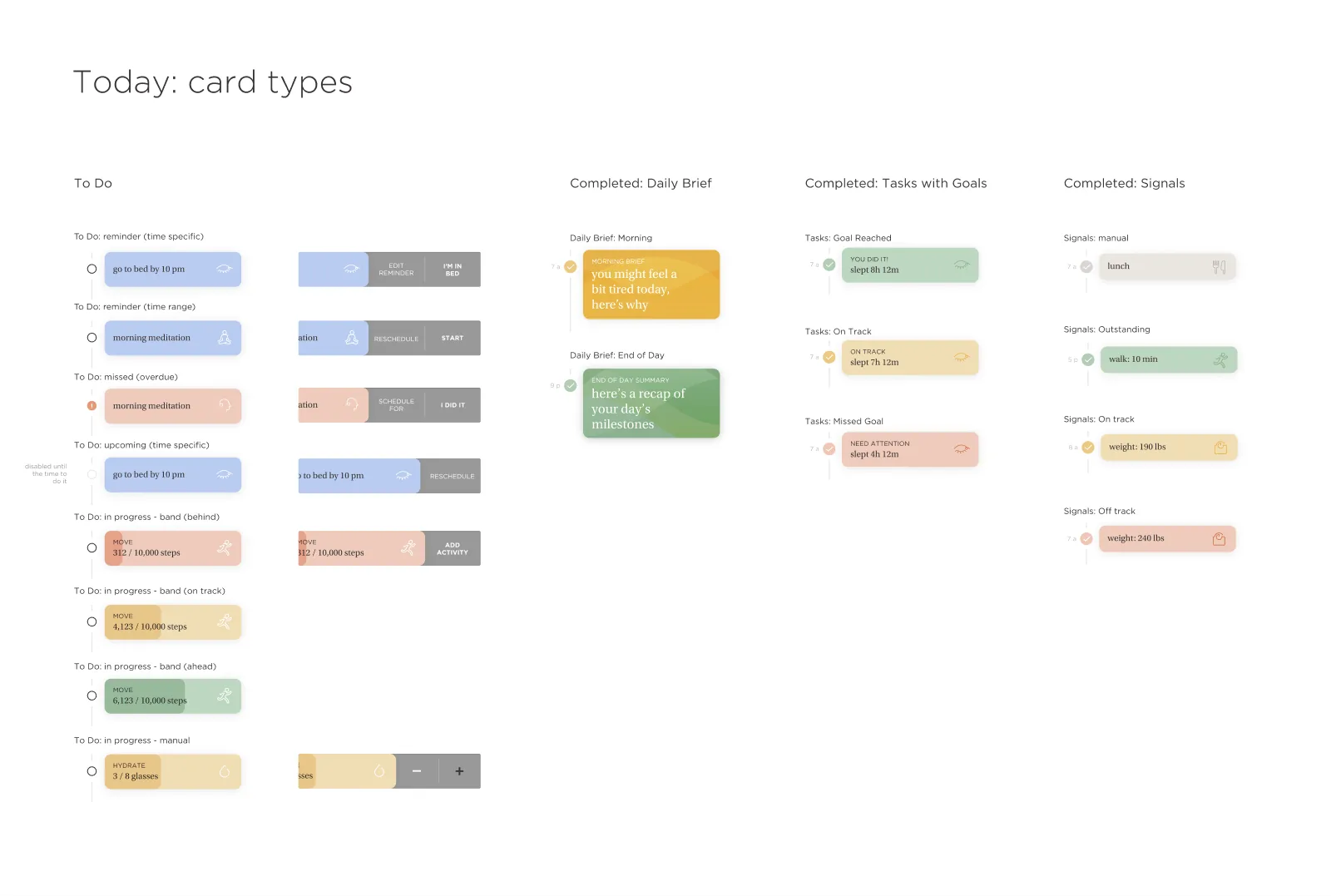
Honey for briefs, sage for goals met, lavender for to-dos and sleep, peach for hydration and attention.
Why: the timeline is readable at a glance, before reading a word.
Review, Log, Add or Read: one verb in the corner of each card.
Why: one next step is easier to take than five.
Mentions with @, photos, video and voice notes, plus a profile for each clinician.
Why: familiar patterns make reaching out feel normal, not formal.
Three steps with sub-steps, a progress bar on each screen and a help button always in reach.
Why: setup feels shorter when you can see the end.
Missed and overdue to-dos, band troubleshooting, Bluetooth off, behind, on track and ahead.
Why: with hardware in the loop, the unhappy paths are everyday paths.
The design file documents V1.1 revisions across Today, Care Team, data.health and Profile, alongside onboarding iterations: an iterative process focused on navigation, information clarity and the connected health experience.


With the design and product team, refining the key user flows in the V1.1 revisions.
Members, clinicians and the product/design team test the key tasks and how clinicians read the health data.
A unified health experience designed to simplify onboarding, encourage daily engagement, improve health-data understanding, and make care-team communication more accessible.
These deliverables create a foundation for measuring how the experience performs.
% completing account, band pairing and health access
Unique members engaging with the app each day
% of delivered health briefs that are opened
Median time to a first care-team reply
The redesigned experience established a foundation for improving onboarding completion, daily engagement, health brief interactions and care-team communication. By simplifying key user journeys and connecting health insights with actionable guidance, the solution supports a more intuitive and accessible healthcare experience.
These describe intended experience benefits, not measured performance improvements. Verified figures for onboarding completion, daily active use, brief open rates and care-team response times will be added once reliable analytics are available.Write the sentence first. Designing the headline of a brief before its chart kept every screen focused on meaning.
Map the day. A “day in the life” made it obvious when the coach should speak, and when it should stay quiet.
Hardware raises the stakes. Pairing, Bluetooth and sync failures needed as much care as the happy path.
Next time, I’d agree on success metrics with the client before launch, so this page could show numbers, not just deliverables.
A warm off-white canvas, soft sage, lavender, honey and peach for each kind of moment, a slate-blue brand colour, and a serif for headlines that makes data read like a story.
A serif for headlines and card titles, paired with a clean geometric sans for numbers and labels.
Line drawings of the band and chronotype animals, plus playful figures for “did you know” cards.
© 2026 Payel Ghosh · Designed with curiosity, tea and one very fluffy co-pilot